Your one-stop solution for all your computer information needs.
For more details please select one item from the following list:
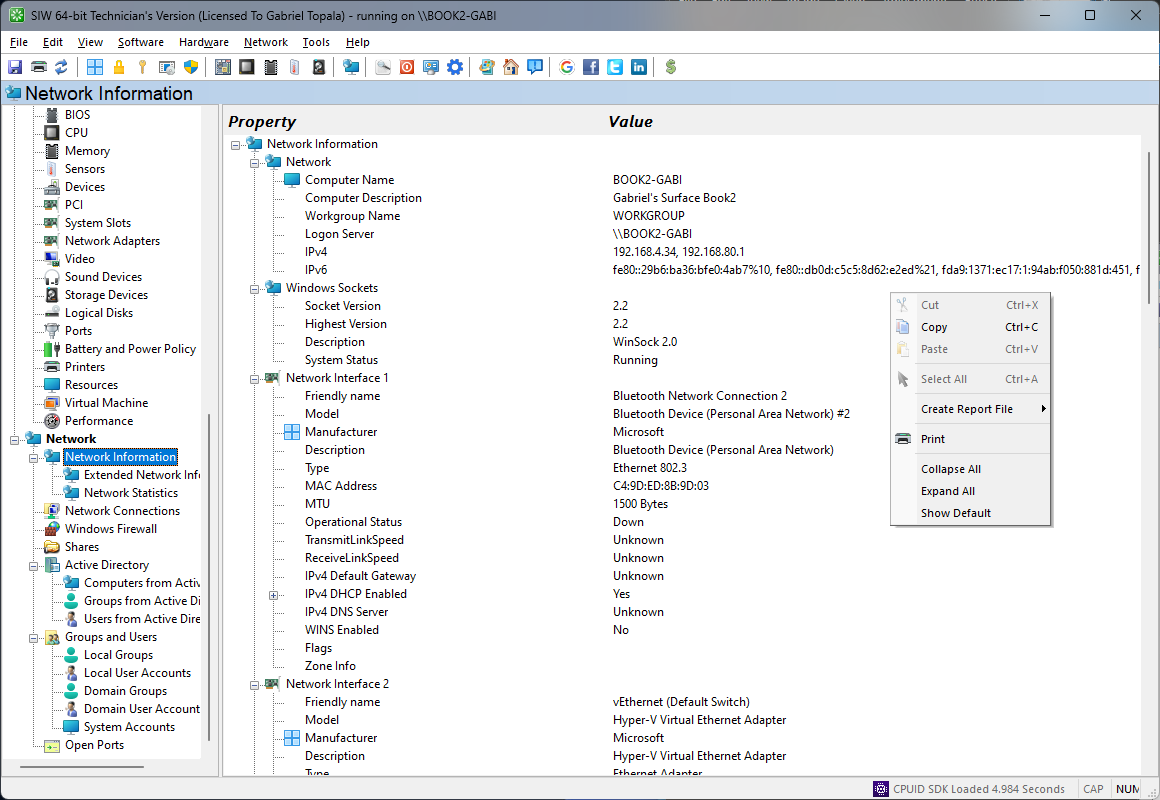
The Basic Information module in SIW provides a quick overview of the system’s current network identity and local connectivity details. It is designed to surface the most commonly needed network facts in a compact, easy-to-review format.
This information is useful for quick identification, basic troubleshooting, support diagnostics, and verifying that the system is connected to the expected network environment.
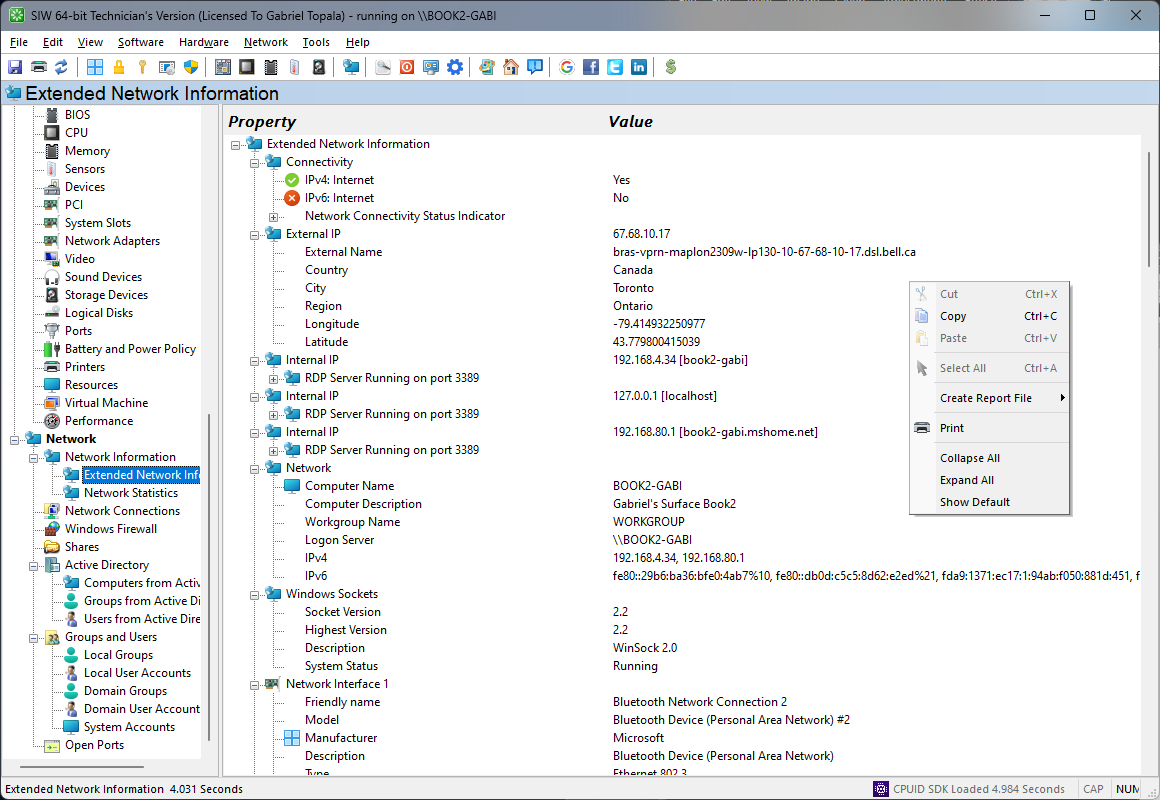
The Extended Information module builds on the basic network view by providing broader connectivity and environment details, including externally visible network information and additional adapter-related data.
This information is especially useful when validating external connectivity, identifying reachable services, reviewing address resolution data, and building a more complete picture of the system’s network presence.
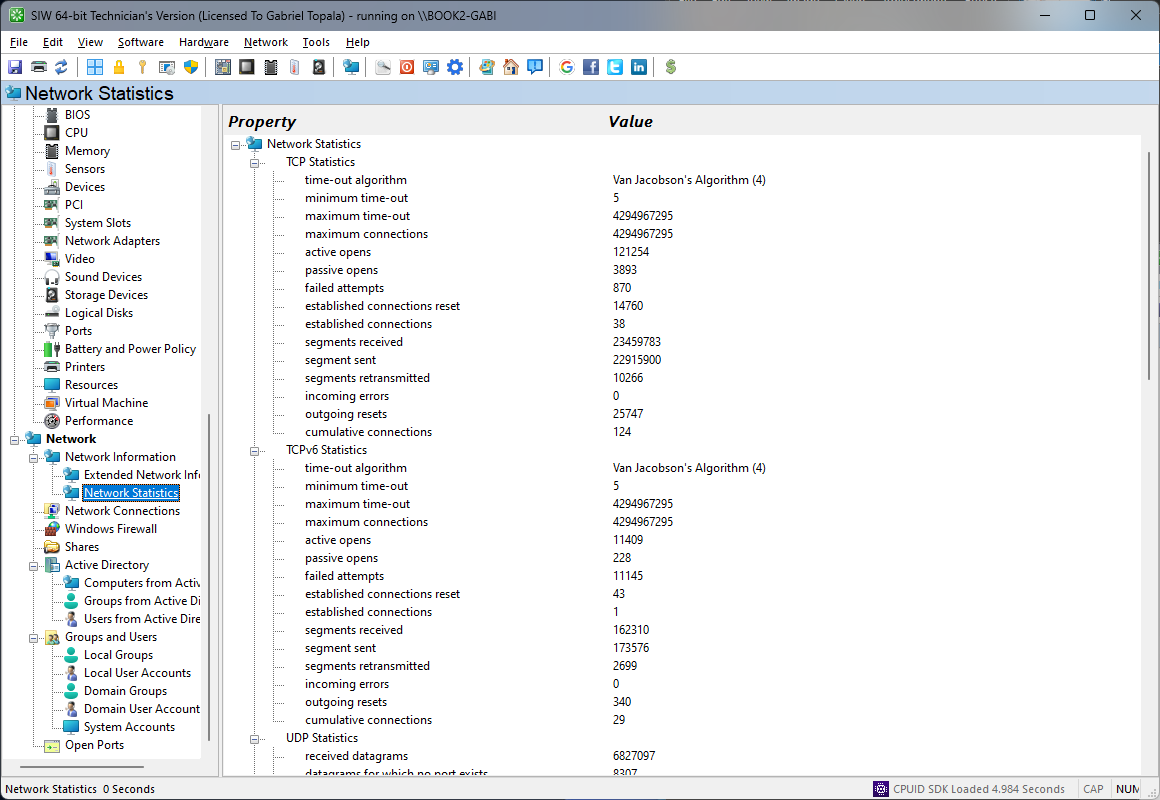
The Network Statistics module in SIW provides a consolidated view of network protocol counters and adapter-related activity reported by Windows. It helps you understand how the system is using the network stack over time.
SIW can display statistics for TCP, UDP, IP, and related protocol layers together with adapter information and other network parameters where available. This is useful for identifying abnormal traffic patterns, reviewing connectivity behavior, and supporting diagnostics when investigating throughput or connection issues.
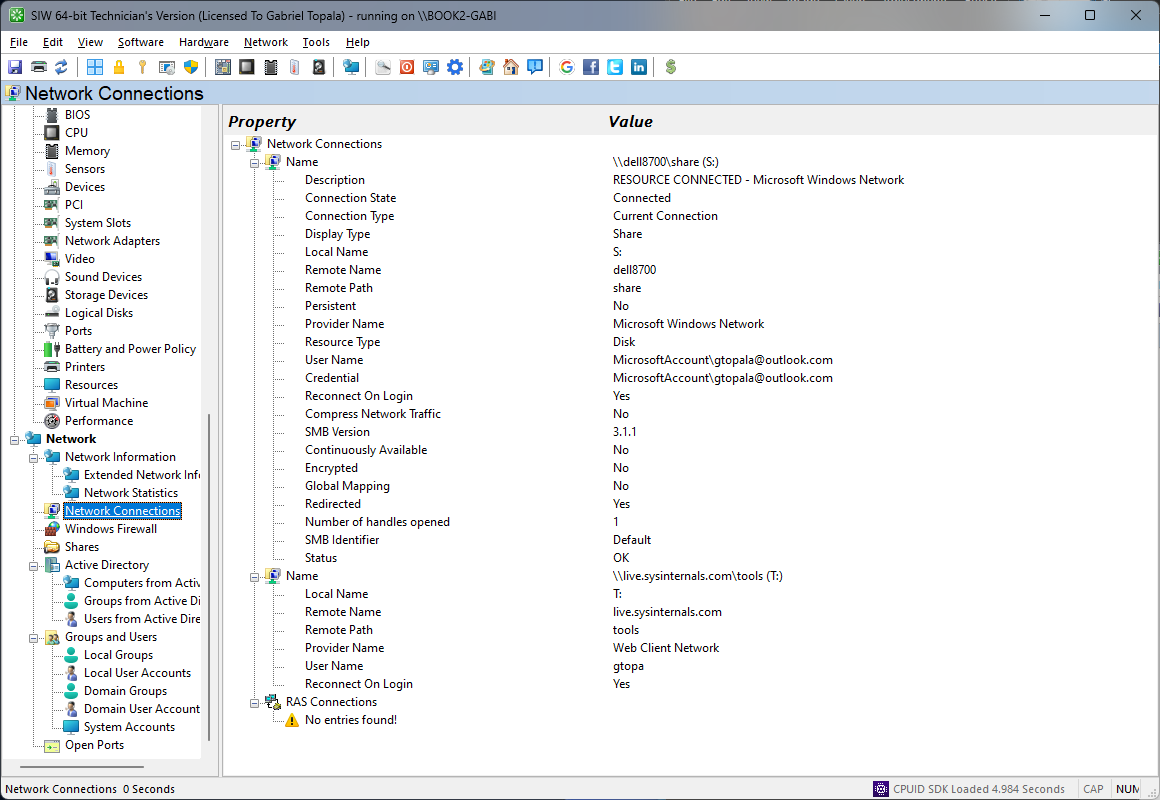
The Network Connections module in SIW provides visibility into the network connection objects configured on the system, including local and remote connectivity endpoints managed by Windows.
SIW can report connection names, adapter bindings, current status, protocol configuration, and related properties where available. This helps identify which connections are enabled, disconnected, bridged, or otherwise configured for network access.
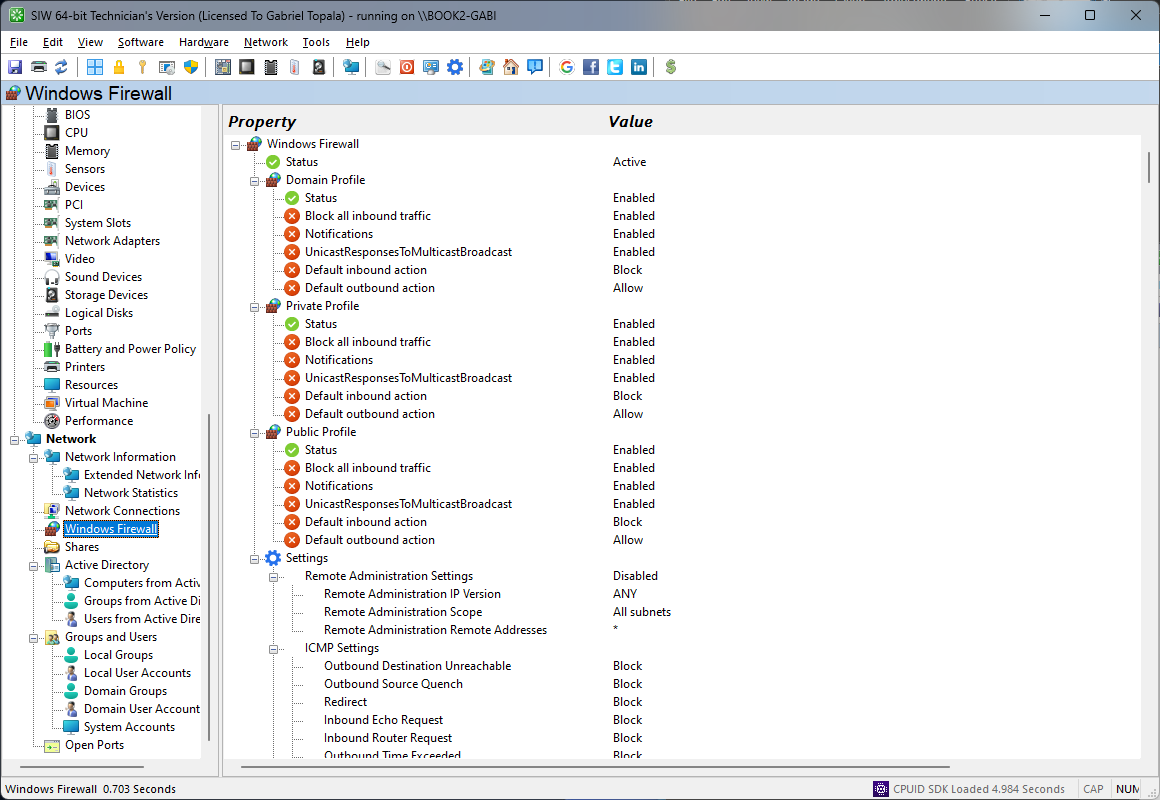
The Windows Firewall module in SIW reports firewall-related settings exposed by the operating system, helping you review how Windows is protecting the system across its network profiles.
SIW can show profile status, enabled states, and other relevant configuration details where available. This is useful when verifying security posture, comparing configuration across systems, or troubleshooting connectivity problems caused by blocked traffic or profile misconfiguration.
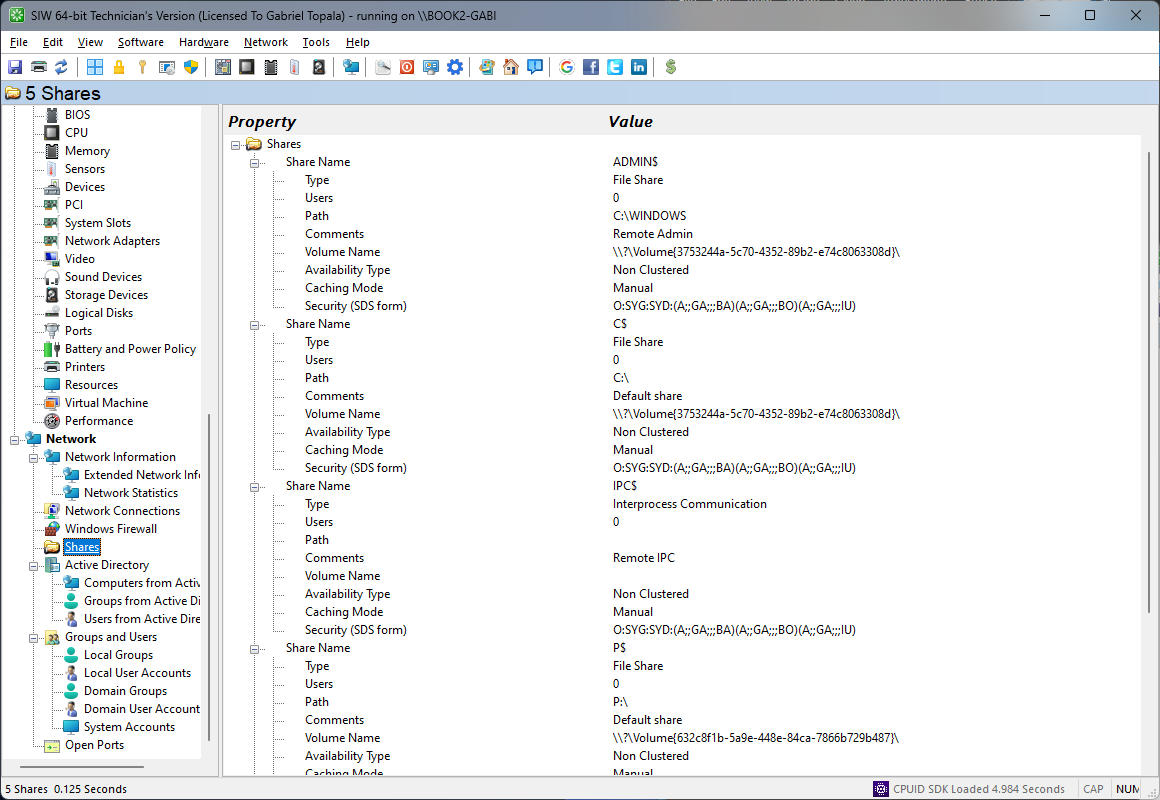
The Shares module in SIW lists folders and other resources that are shared from the local system, helping you understand what is being made available to other users or devices on the network.
SIW can report share names, local paths, descriptions, and related permissions or administrative attributes where available. This information is useful for inventory, access review, and troubleshooting when validating file sharing configuration or unexpected exposure of resources.
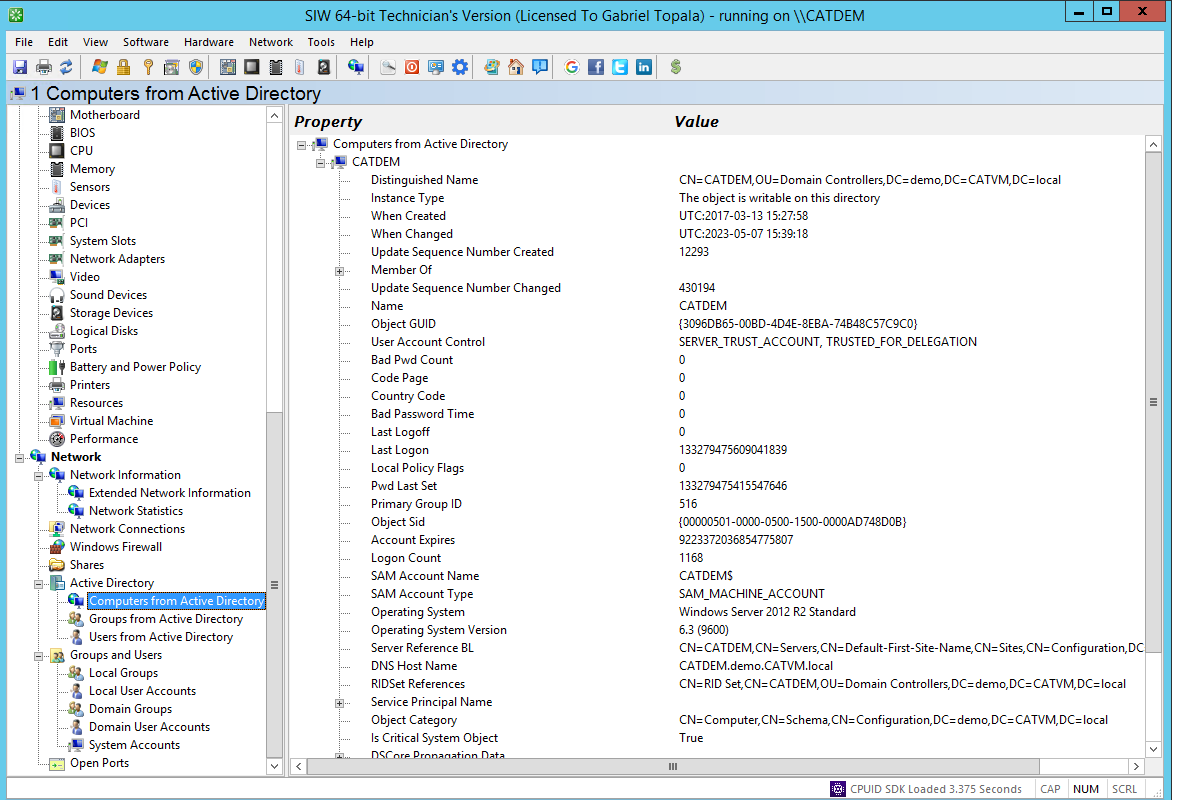
The Active Directory - Computers module in SIW provides visibility into computer objects available in the domain, helping administrators review managed systems and their directory presence.
Where domain access is available, SIW can display computer names, locations, and related directory attributes exposed by Active Directory. This supports inventory reporting, environment review, and troubleshooting in domain-based deployments.
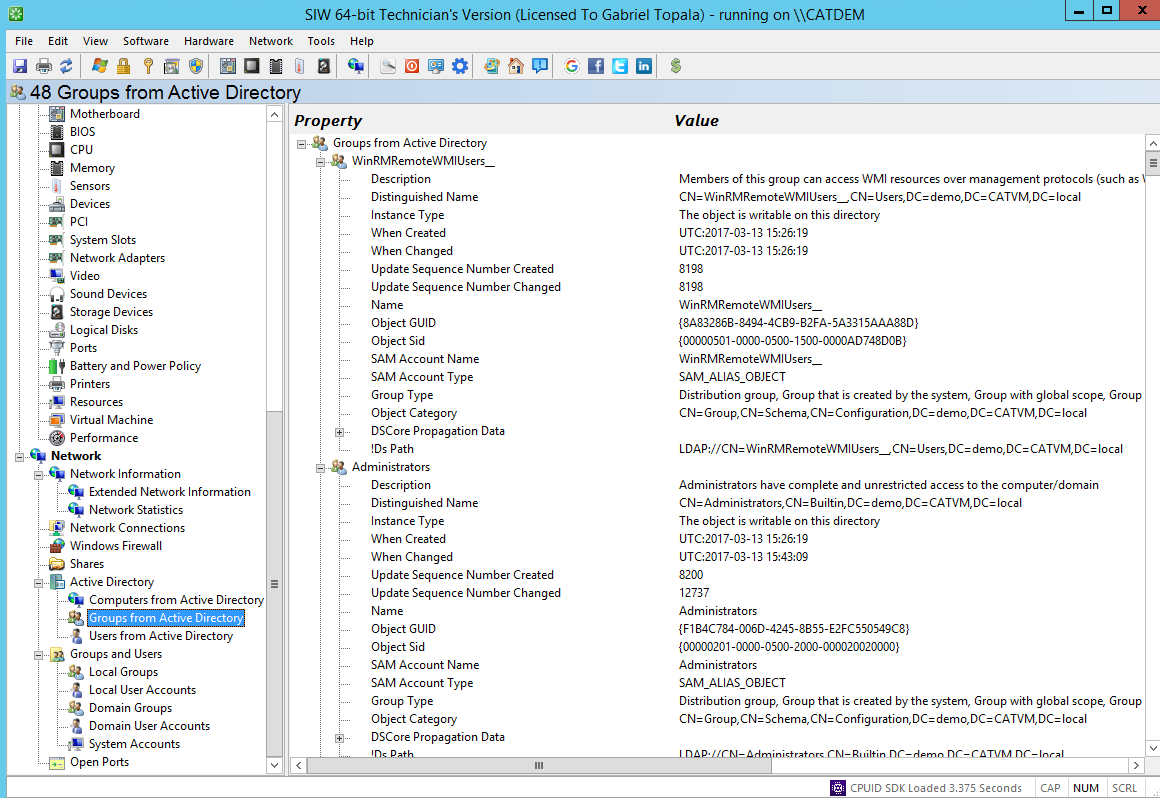
The Active Directory - Groups module in SIW lists directory groups that organize users, computers, and permissions within the domain environment.
SIW can report group names and related directory attributes where available, making it easier to review administrative, security, and distribution groups maintained in Active Directory.
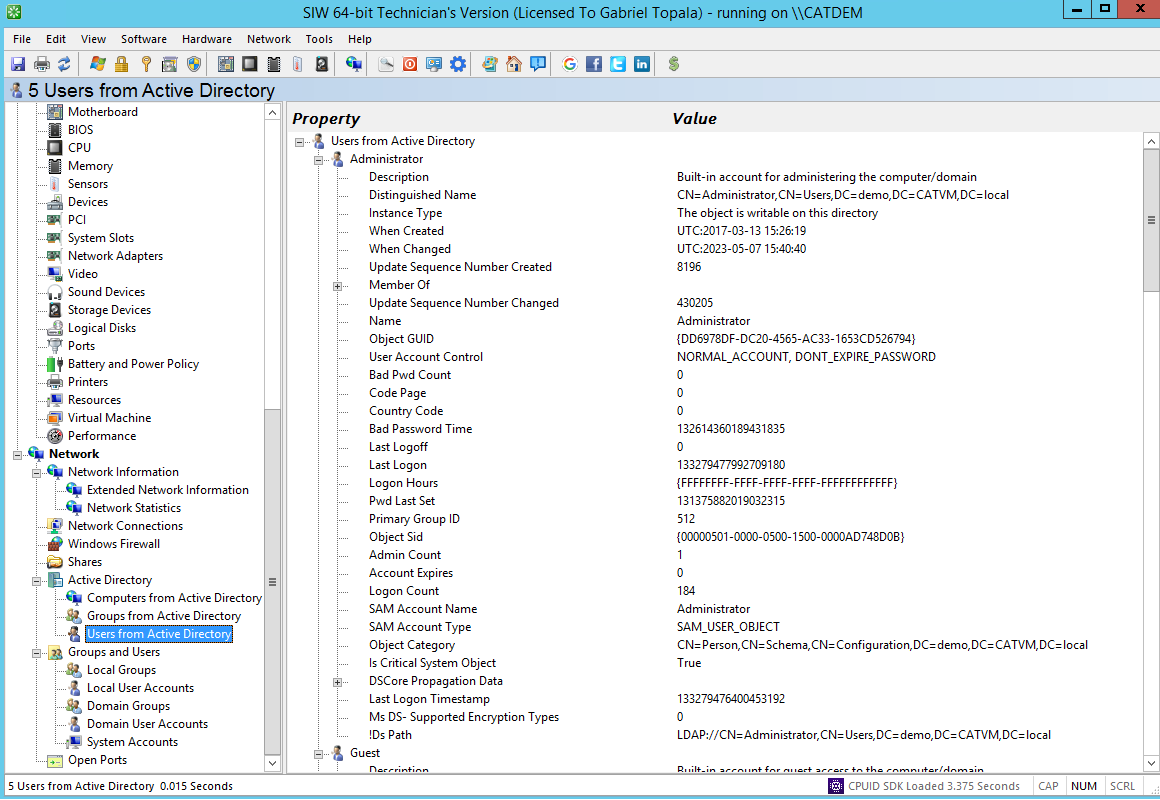
The Active Directory - Users module in SIW provides information about user accounts stored in the domain, helping administrators review identity objects maintained by Active Directory.
Where available, SIW can display user names and related directory metadata relevant for inventory and administrative review. This is useful when documenting domain environments or checking whether accounts are present as expected.
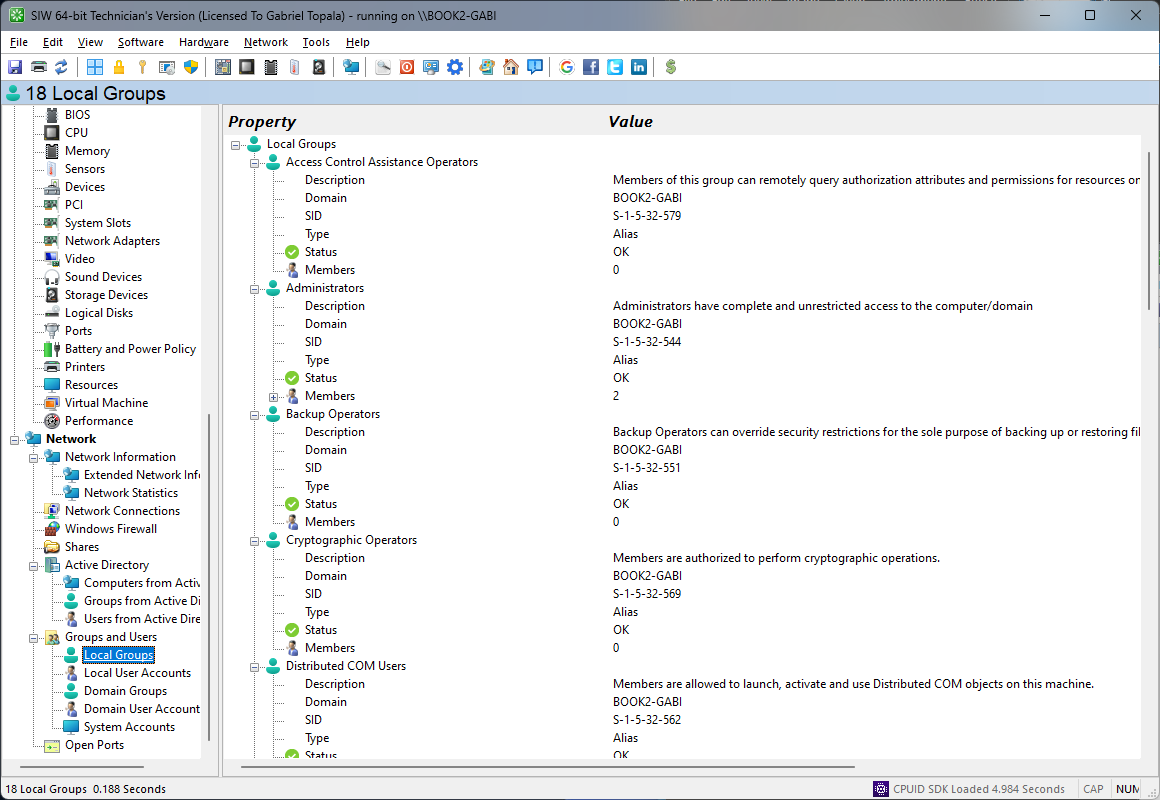
The Local Groups module in SIW lists group accounts defined on the local computer, helping you review built-in and custom group structures used for local permissions and administration.
SIW can display group names, descriptions, and related information where available, supporting account audits, privilege review, and workstation documentation.
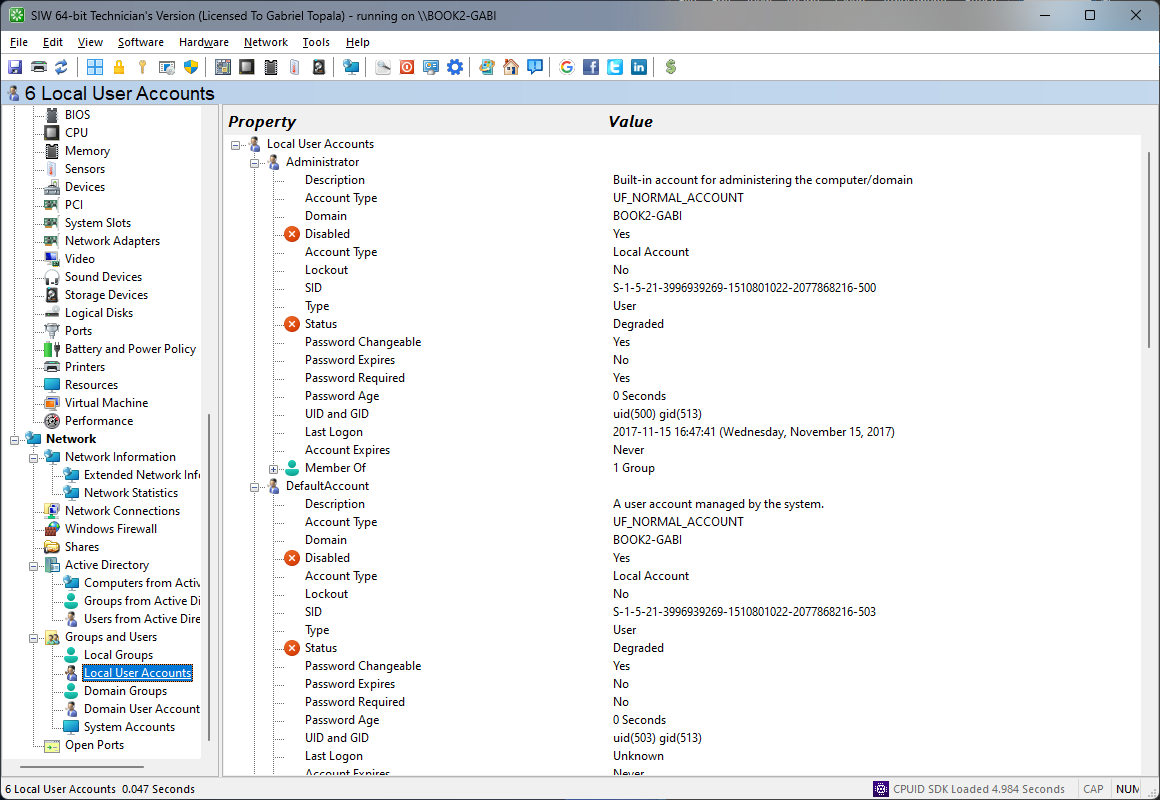
The Local User Accounts module in SIW reports user accounts stored on the local computer, providing a practical view of identities that can sign in or be used by software locally.
SIW can show account names and other relevant properties where available, helping with system audits, administrative review, and support scenarios involving local access or account configuration.
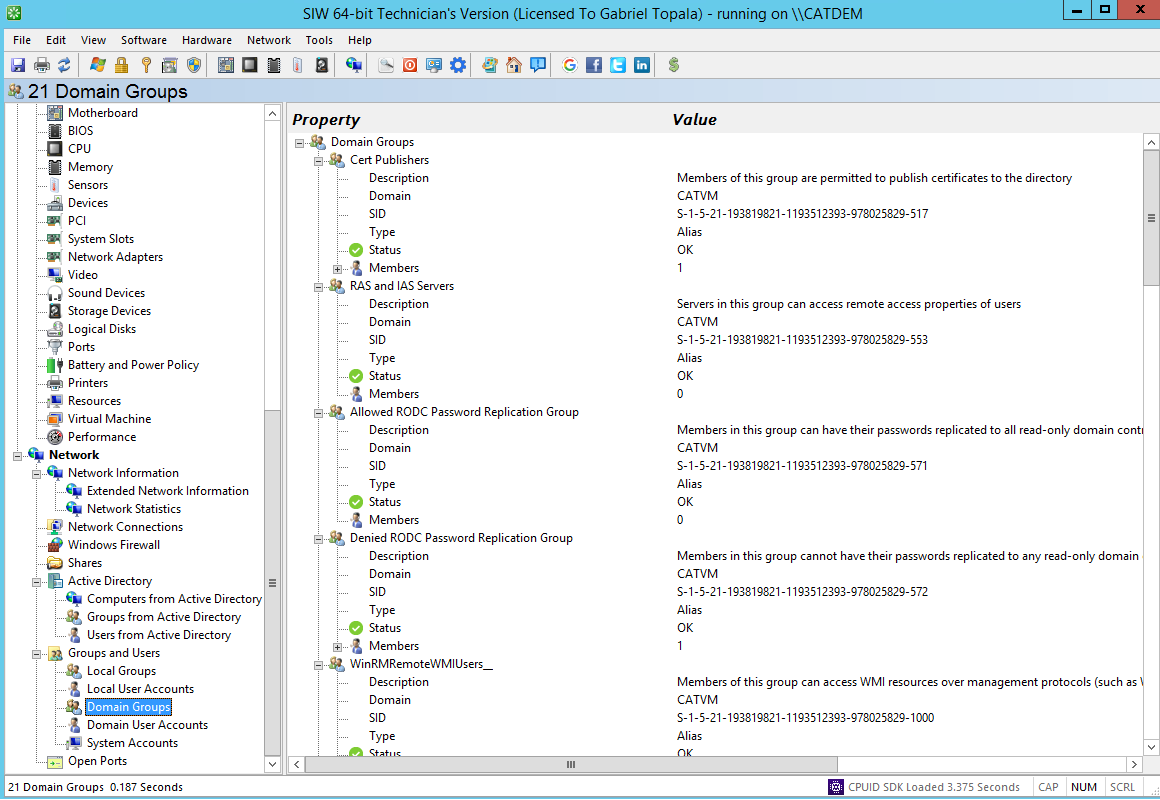
The Domain Groups module in SIW provides visibility into group accounts available from the connected domain environment, helping administrators review centrally managed security and distribution group structures.
SIW can display domain group names and related attributes where available, which is useful for documentation, access review, and troubleshooting account membership expectations.
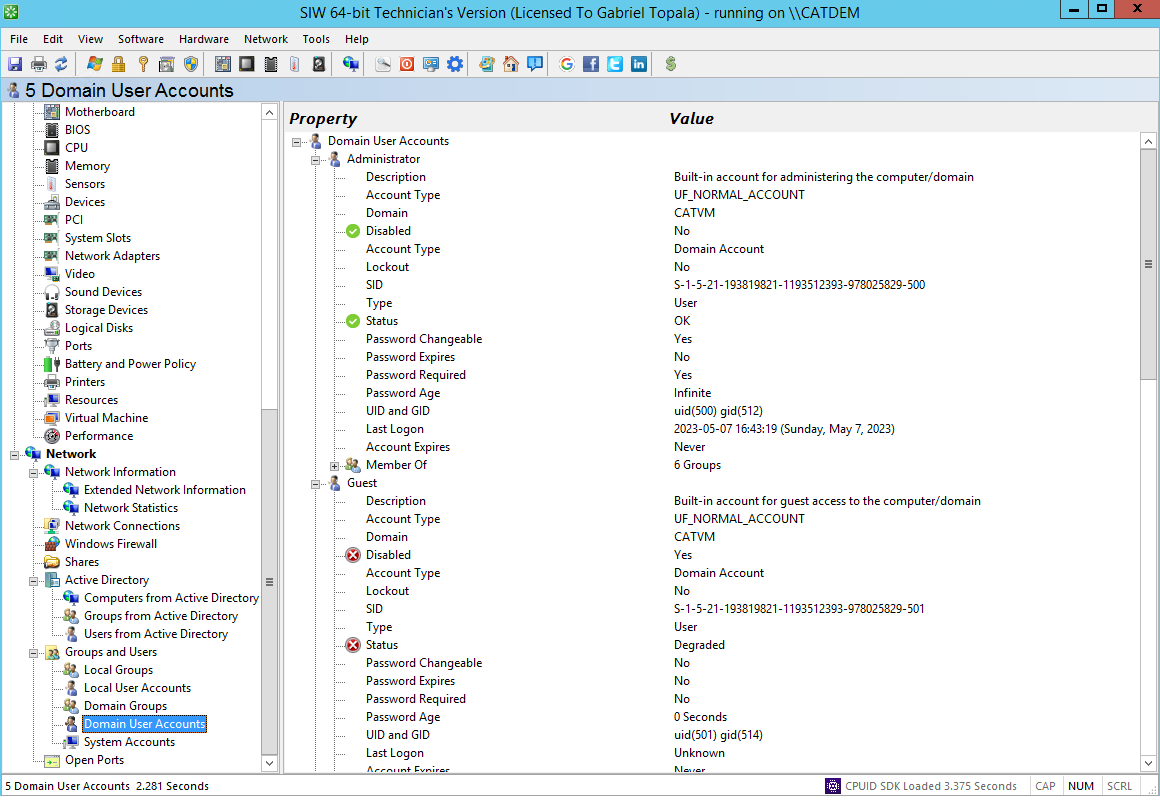
The Domain User Accounts module in SIW reports user accounts available from the domain, helping you review centrally managed identities accessible in the current environment.
Where domain information is available, SIW can display account names and related details useful for inventory, administration, and troubleshooting in managed Windows networks.
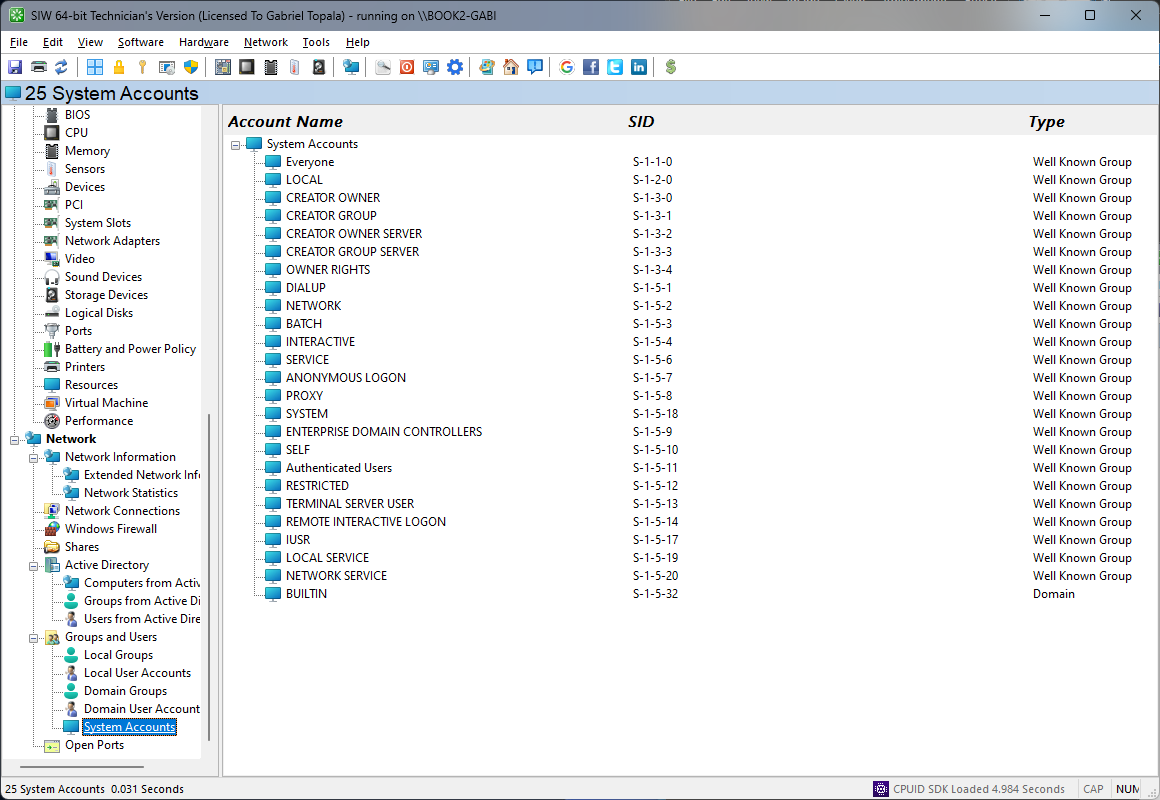
The System Accounts module in SIW provides information about built-in or system-managed accounts used internally by Windows and services.
SIW can display account names and related properties where available, helping administrators understand which identities are reserved for services, background processes, or operating system functions.
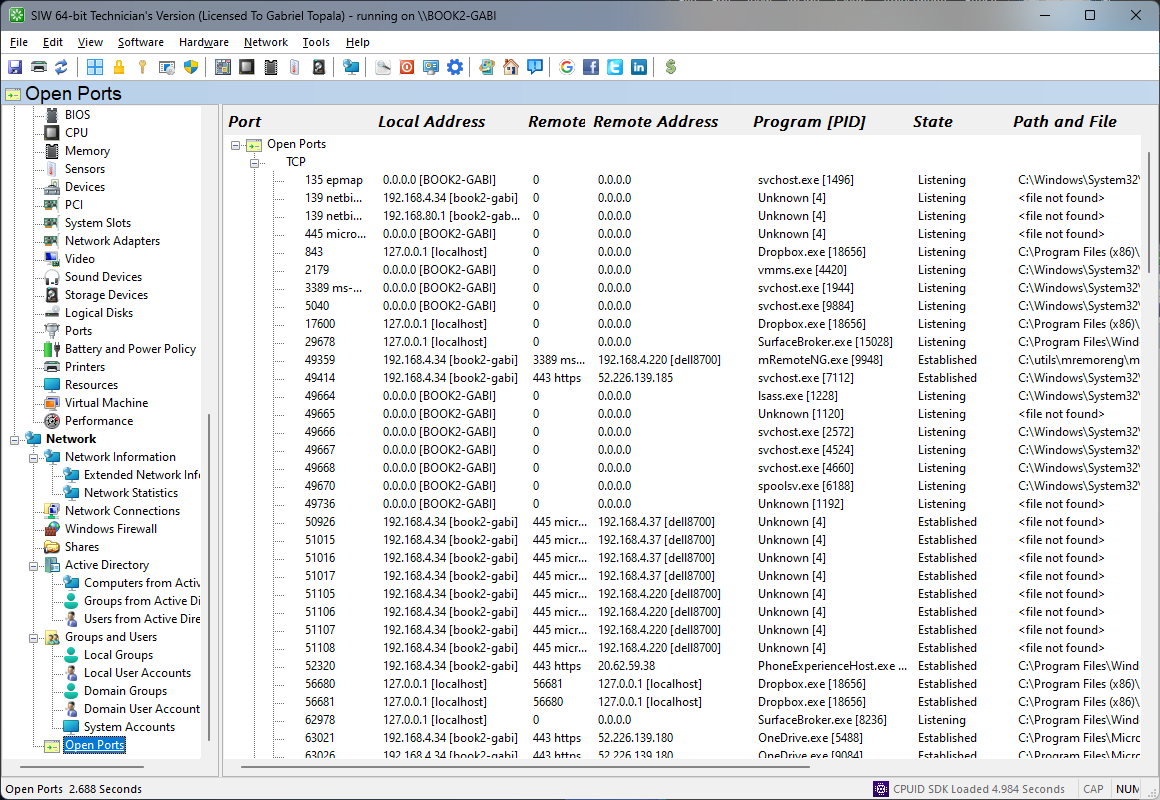
The Open Ports module in SIW displays TCP and UDP ports that are currently in use together with the application or service associated with each entry.
Additional details include the local port name and local or remote IP address, making it easier to identify what is listening, what is connected, and which software is responsible for the activity. This is useful for security review, connectivity troubleshooting, and identifying unexpected network listeners.
Using the right-click menu, you can disconnect a selected connection or create CSV, HTML, TEXT, or XML report files.