Your one-stop solution for all your computer information needs.
For more details please select one item from the following list:
Client Operating Systems:
|
Server Operating Systems:
|
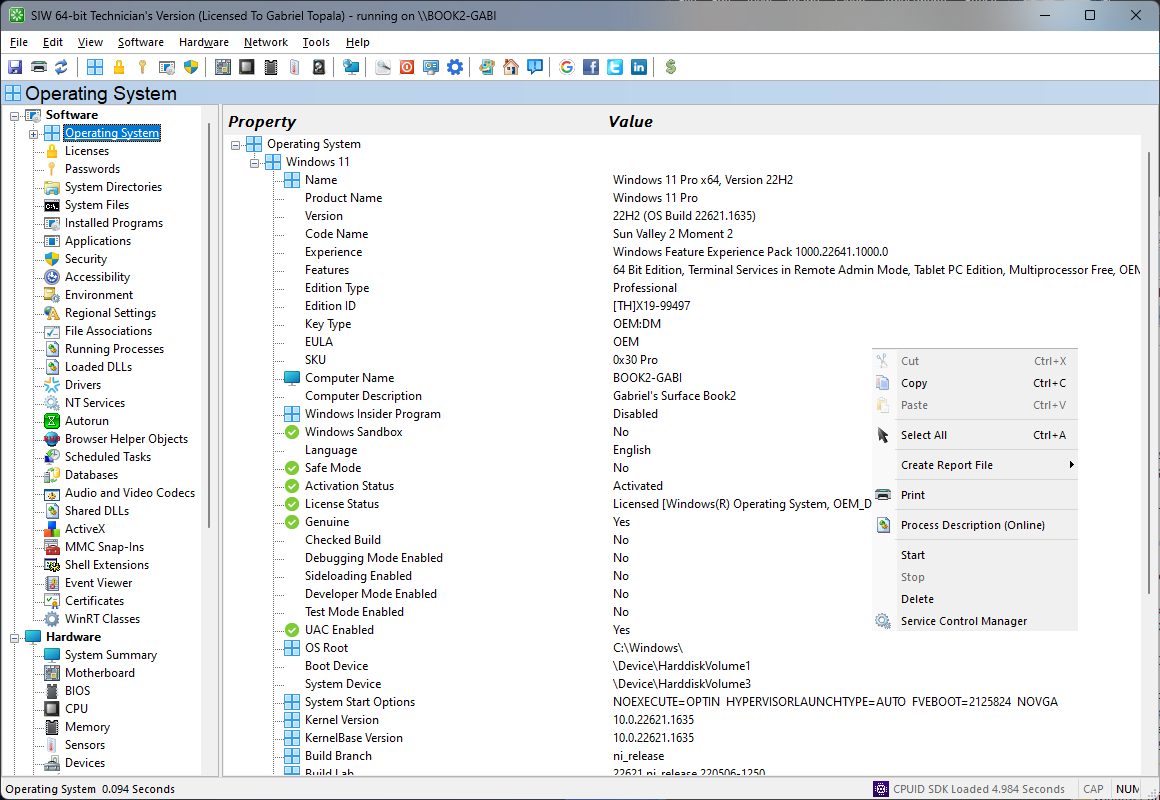
The Operating System module in SIW provides a detailed and structured overview of the installed operating system environment, presenting essential identification and configuration information relevant for system analysis, compatibility checks, and support diagnostics.
SIW reports core operating system details such as name, edition, version, build number, and architecture. Installation date and system uptime are also displayed, allowing users to understand system age and runtime characteristics at a glance.
The module includes information about system configuration parameters exposed by the operating system, such as boot configuration, system directories, environment settings, and locale-related attributes. These details help establish the operating context in which the hardware and applications operate.
Additional operating system characteristics, including licensing status indicators, system roles, and kernel-related properties, are reported where available. This information is useful for validation, auditing, and ensuring the system is configured as expected for its intended use.
All operating system information can be reviewed interactively or exported for documentation, inventory management, and troubleshooting purposes.
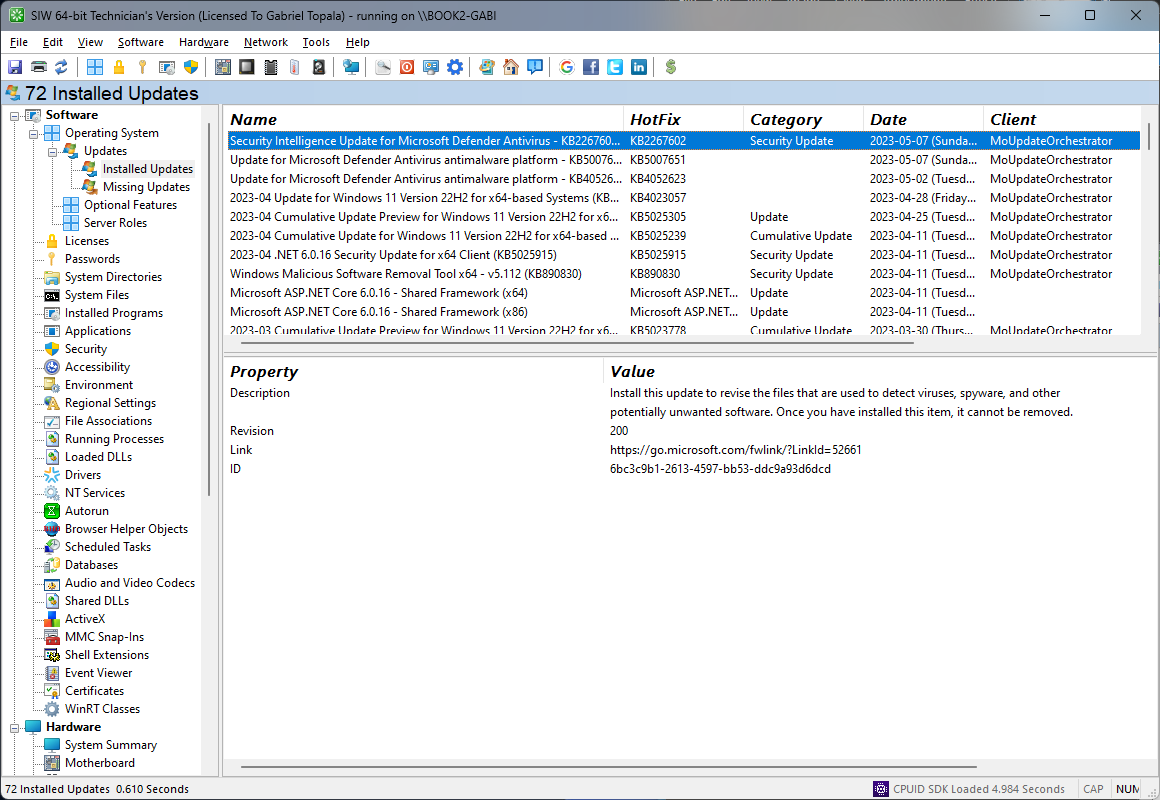
The Software Updates module in SIW provides clear visibility into the update state of Windows, helping you review both installed updates and updates that are reported as missing. This makes it easier to understand the system’s patch level and identify potential security or maintenance gaps.
SIW displays update-related information such as update names, identifiers, installation status, and related metadata where available. This allows administrators and support professionals to verify patch deployment, compare systems, and investigate issues that may be related to recent or absent updates.
All update information can be reviewed interactively or exported for inventory, compliance checks, and troubleshooting purposes.
The Windows Features module in SIW provides a structured inventory of optional Windows components, platform capabilities, and role-based features that are available on the system. This includes core operating system features as well as components related to IIS, .NET, Hyper-V, WCF, printing, networking, containers, Windows Subsystem for Linux, and other optional platform services.
For each feature, SIW can display detailed metadata such as the feature name, display name, description, current state, whether a restart may be required, parent relationships, unique names, version information, identifiers, and related links when available. This makes it easy to distinguish between features that are installed, staged, removed, or otherwise not currently present.
This information is especially useful for system audits, server role verification, troubleshooting missing platform components, preparing machines for application deployment, and comparing feature configuration across different Windows installations.
Notes:
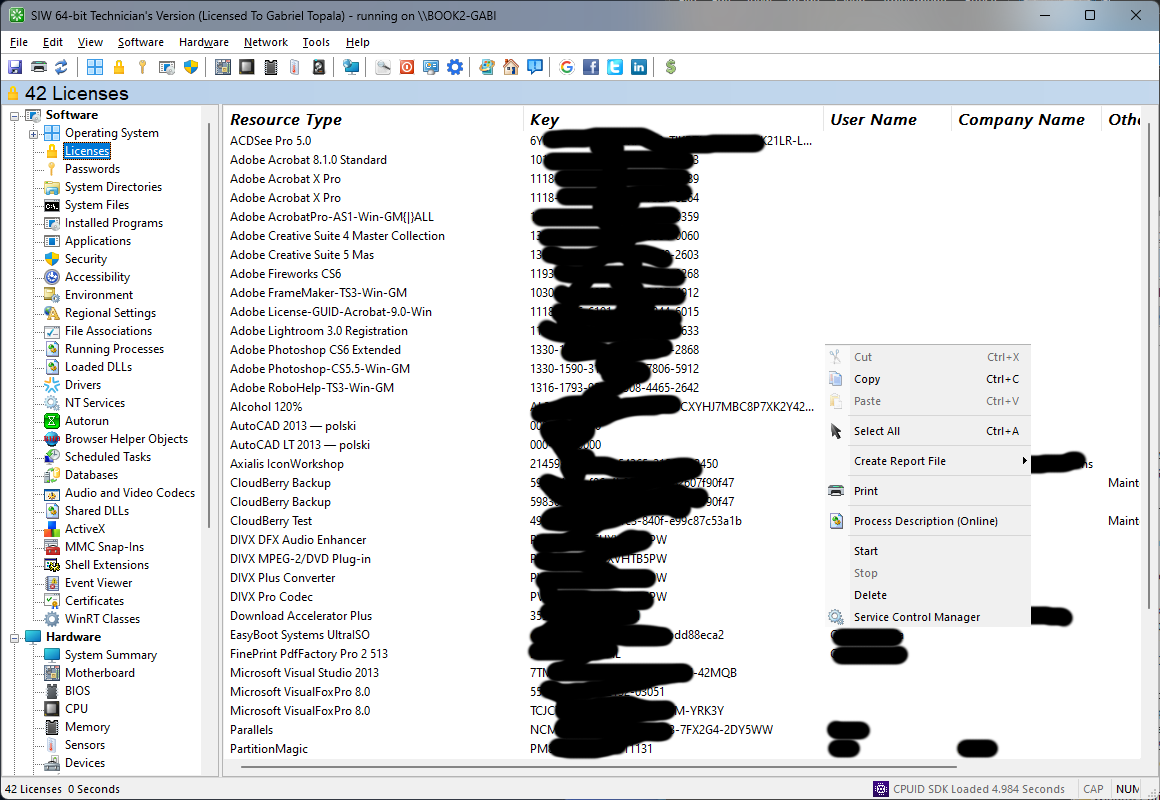
How to recover some Product Keys from a non-booting Windows Installation.
First you will need some things:
then:
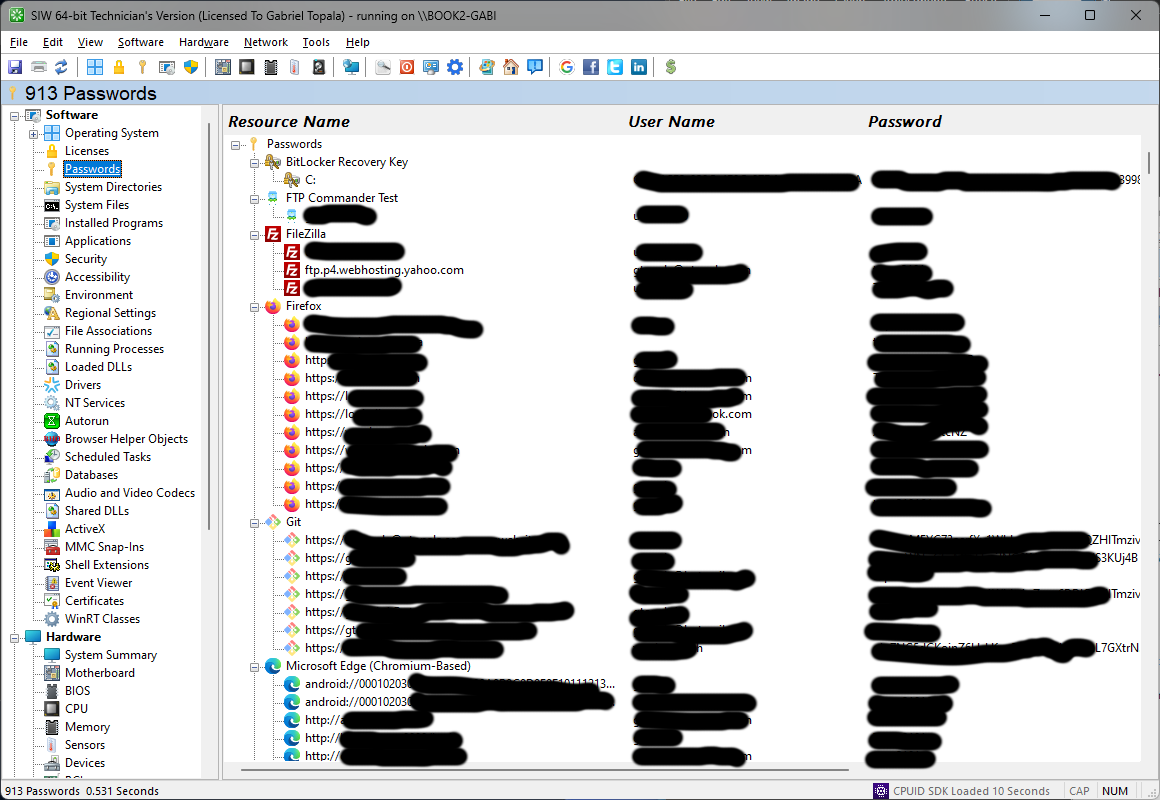
The Passwords module in SIW provides a structured overview of credential-related information stored and managed by the system, focusing on visibility and auditing rather than password manipulation. This functionality is intended for legitimate administrative, diagnostic, and recovery scenarios.
SIW enumerates password-related entries that are accessible through documented system interfaces, such as stored credentials associated with network resources, system services, and application components where disclosure is permitted by the operating system. The module identifies the source, type, and scope of each entry without compromising system integrity.
Where applicable, SIW presents metadata associated with stored credentials, including account or resource association and storage location. Access to sensitive values is governed by system permissions, ensuring that information is displayed only when allowed by the operating system and user privileges.
The Passwords module is designed to support security audits, system migrations, and troubleshooting scenarios in which understanding the presence and association of stored credentials is necessary. It does not bypass security mechanisms or weaken system protections.
All information can be reviewed interactively or exported for documentation and administrative review.
Notes:
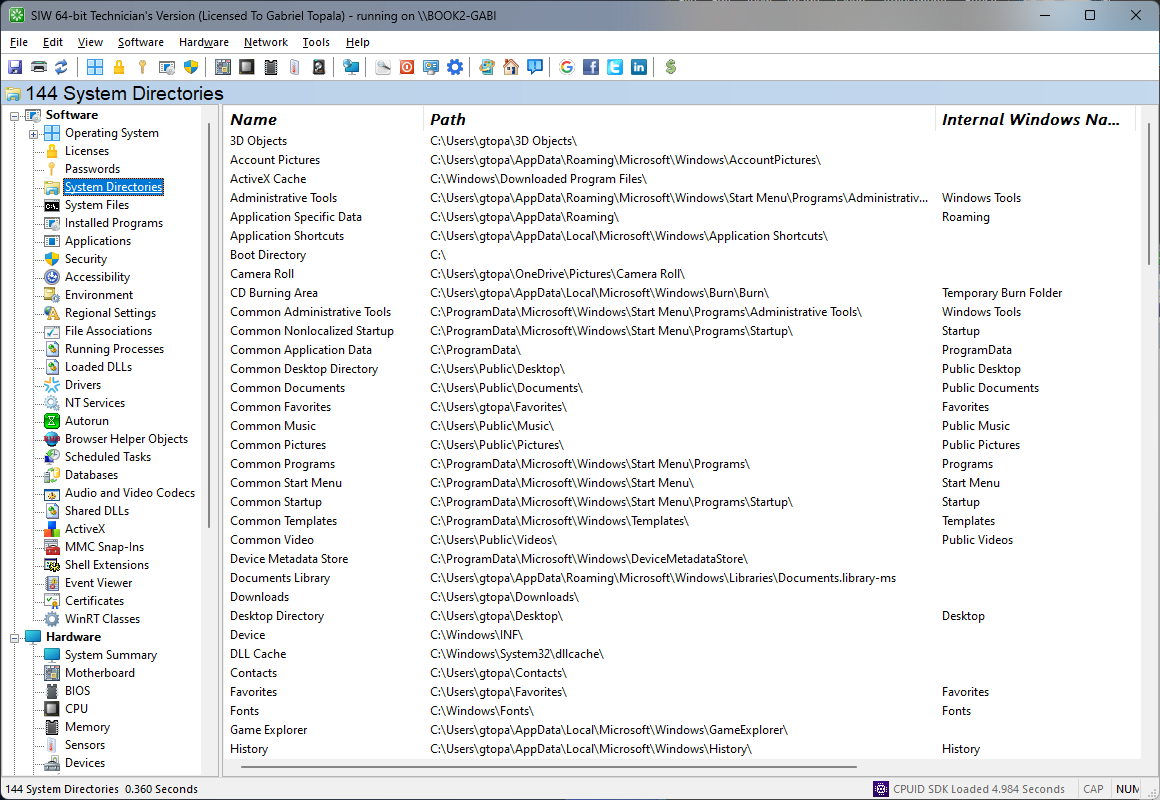
The System Directories module in SIW reports the key folders used by Windows and installed applications, giving you a structured overview of where critical operating system components and shared resources are located.
SIW lists paths such as the Windows directory, System32, Program Files, temporary folders, common application data locations, and other essential system-defined directories. This information is useful for scripting, troubleshooting, migration planning, and verifying that the operating system is using the expected folder layout.
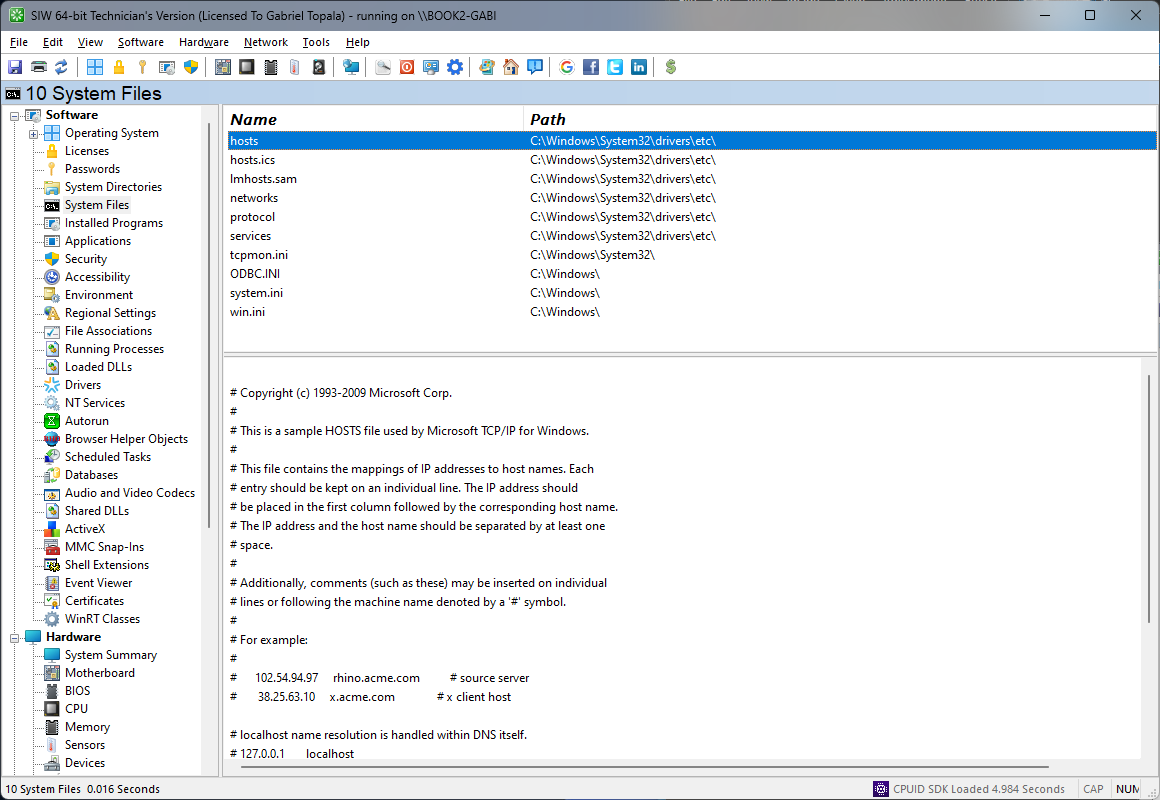
The System Files module in SIW provides visibility into important operating system files that are essential for Windows startup, operation, and maintenance. This helps identify version differences, missing files, or configuration inconsistencies across systems.
Where available, SIW reports file names, locations, versions, sizes, timestamps, and related attributes for core Windows files. This information is particularly useful when investigating update problems, validating system integrity, or documenting the software baseline of a machine.
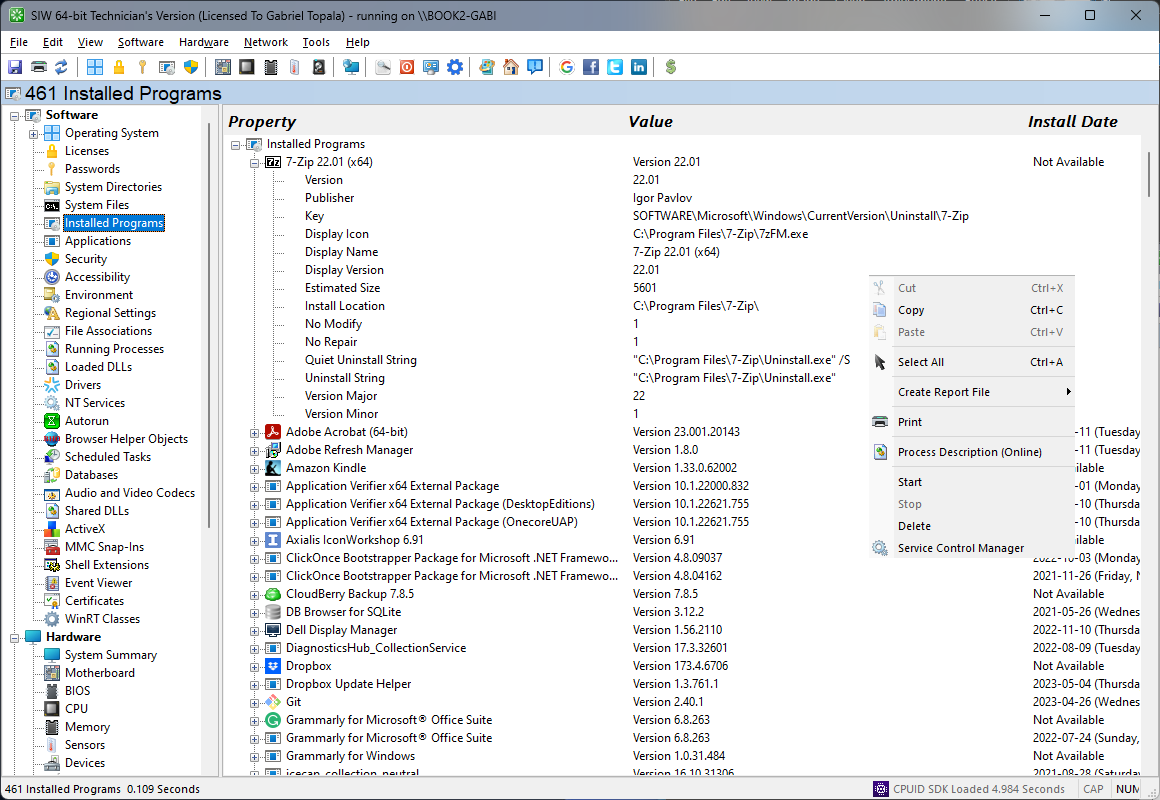
The Installed Programs module in SIW provides a consolidated view of software registered with Windows, helping you review what applications are present on the system and how they are exposed for maintenance and inventory purposes.
Information is gathered from the Windows Installer API and the Windows Registry. Where available, SIW can report details such as product name, publisher, version, installation source, uninstall data, and related metadata. This is useful for software audits, deployment checks, uninstall troubleshooting, and comparing installed software across multiple systems.
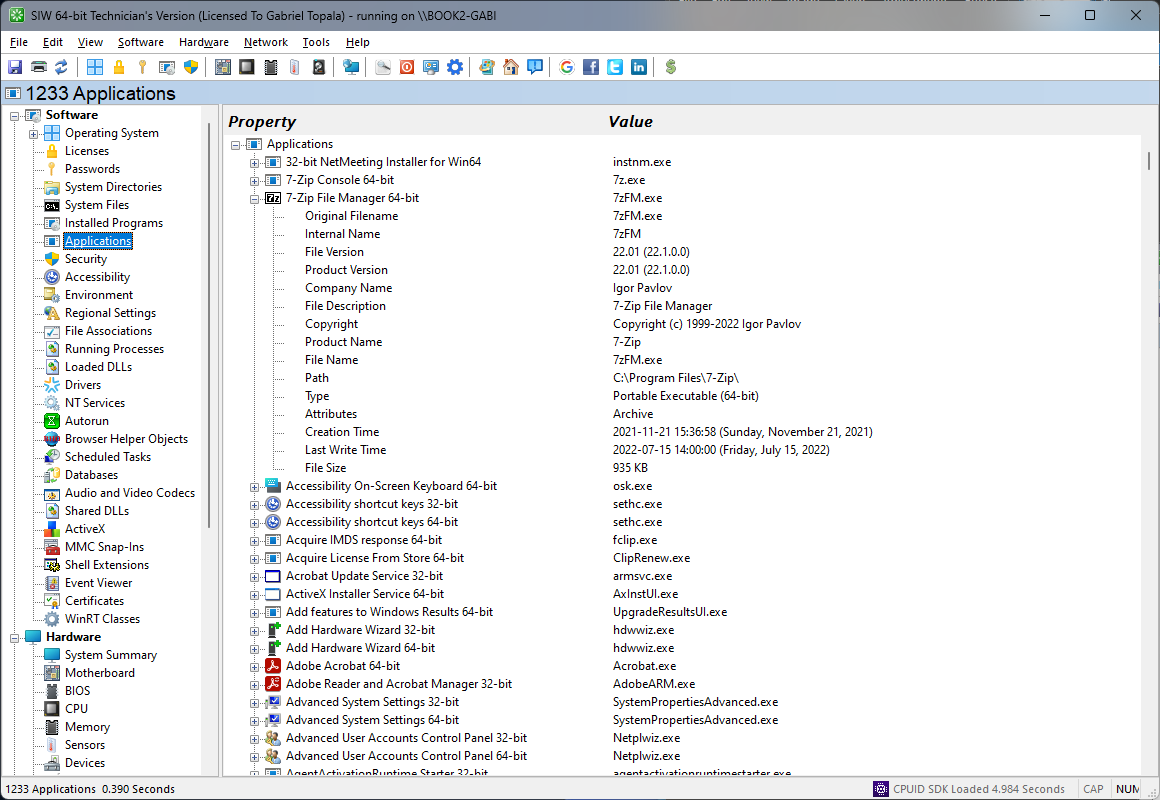
The Applications module in SIW presents information about software applications detected on the system, helping you understand what programs are available and how they are registered in Windows.
Depending on the information exposed by the operating system, SIW can display application names, publishers, installation details, executable paths, and related registration data. This supports inventory reporting, software audits, and troubleshooting scenarios in which you need to confirm how applications are installed or exposed to the shell.
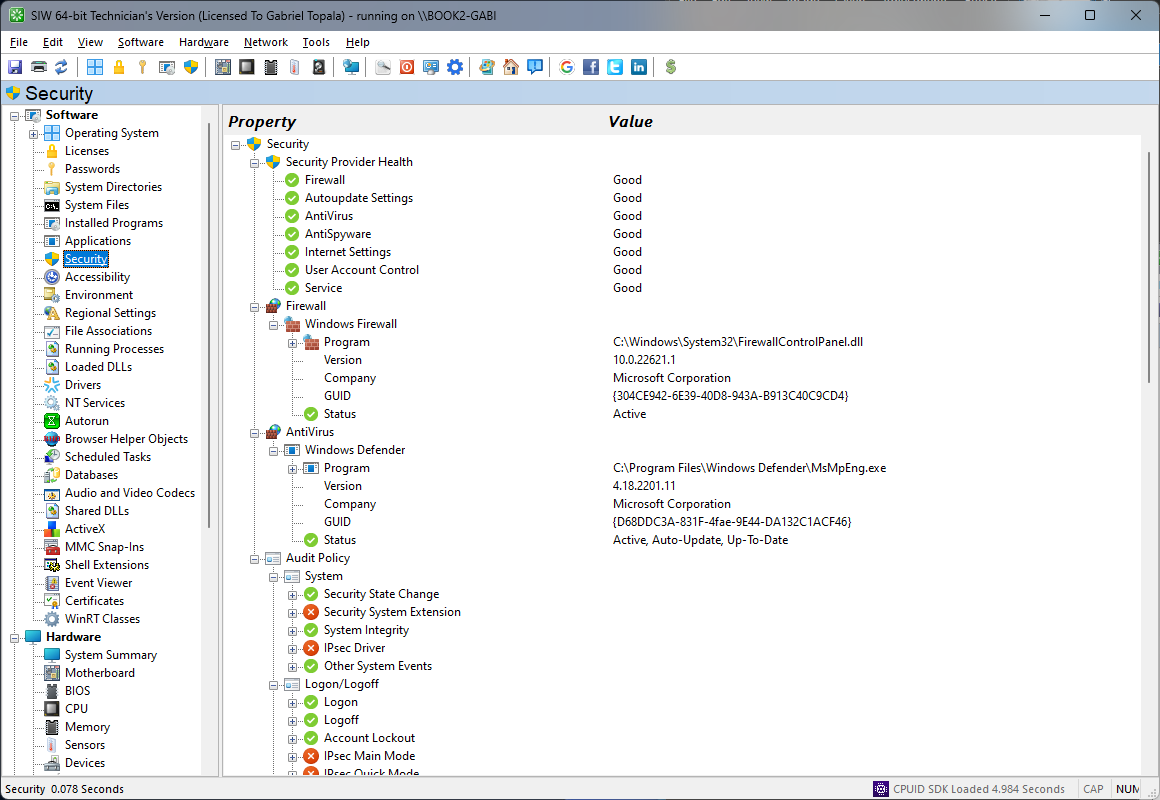
The Security module in SIW reports key security-related settings and configuration details exposed by Windows, making it easier to review the system’s protection posture at a glance.
SIW can show information related to account and policy settings, security providers, update or protection status indicators, and other relevant configuration values where available. This helps administrators validate expected settings, compare machines, and investigate systems that may be misconfigured or insufficiently protected.
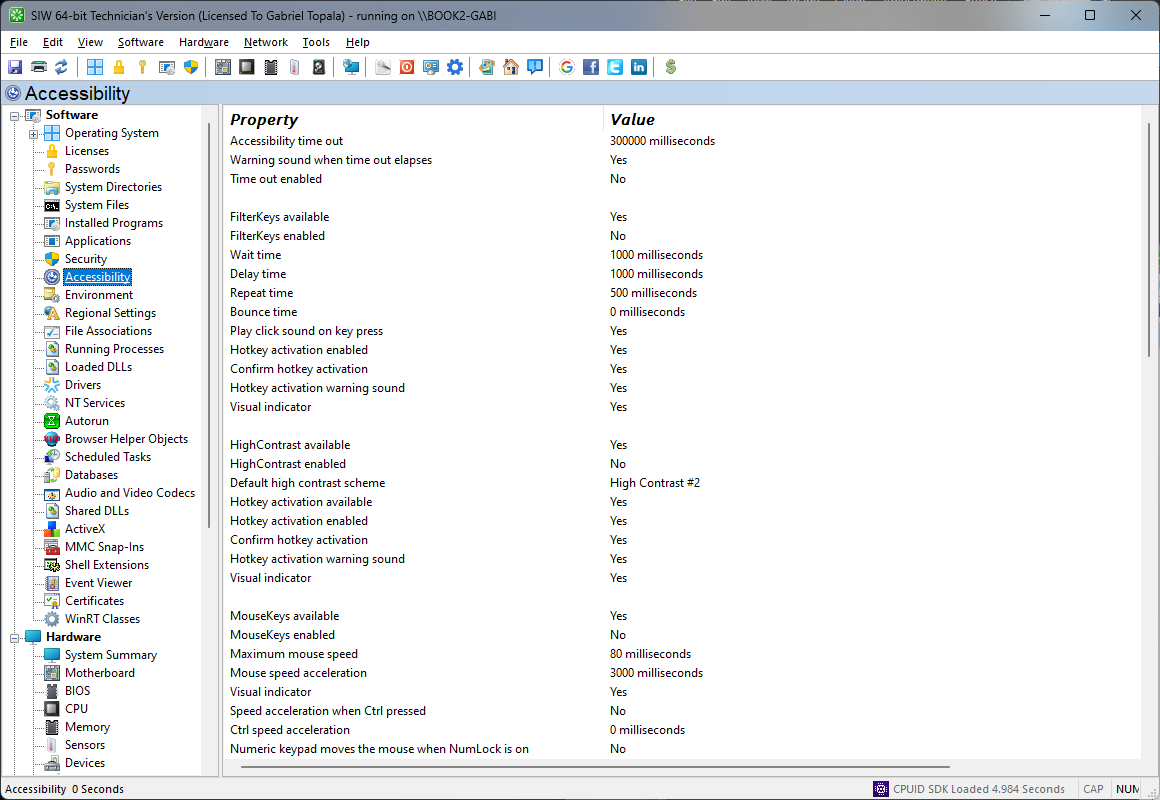
The Accessibility module in SIW provides information about Windows accessibility features and related user interface settings designed to improve usability for different user needs and working styles.
SIW can report settings associated with visual assistance, keyboard and mouse accessibility options, display enhancements, and other ease-of-access features available on the system. This information is useful when documenting user environments, troubleshooting unexpected behavior, or confirming that accessibility preferences have been applied correctly.
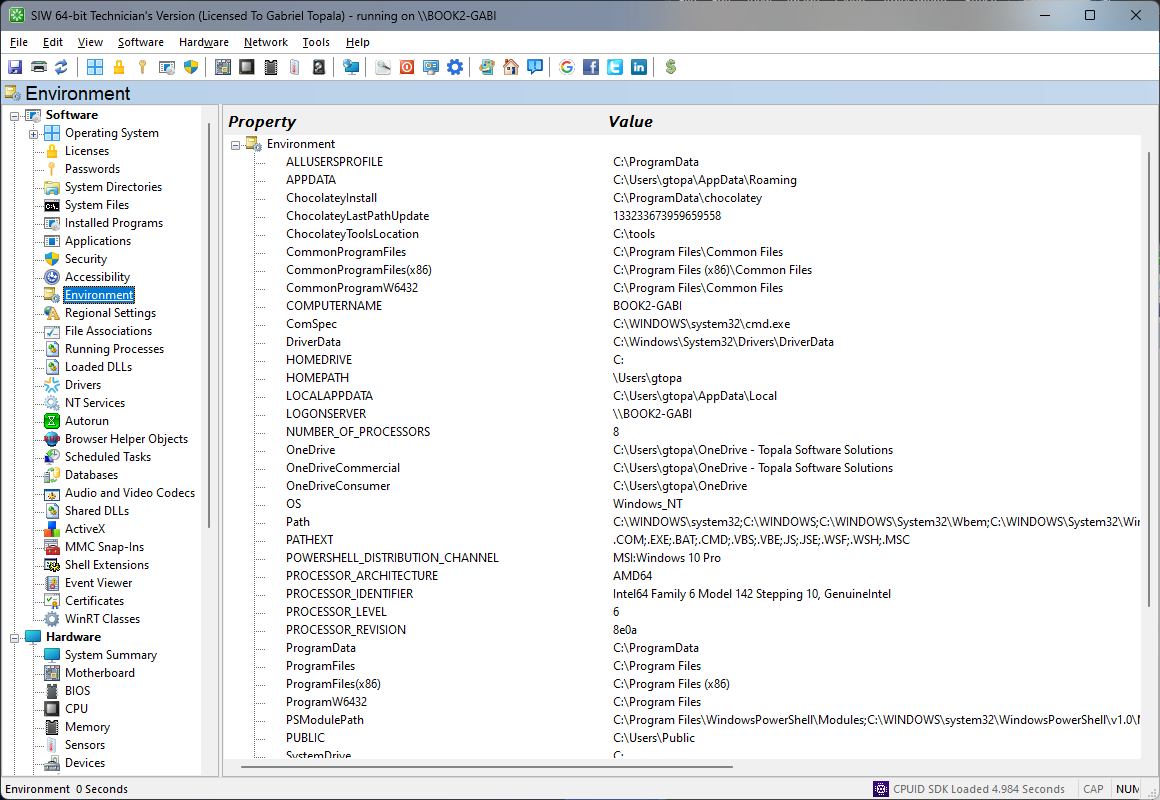
The Environment module in SIW displays the environment variables defined for the system and current user, giving you a direct view of values that influence application behavior, scripts, and command-line tools.
SIW reports variable names and their assigned values, helping you verify search paths, temporary locations, profile-related folders, and custom configuration entries. This is particularly useful for debugging startup issues, installer behavior, and differences between machines or user accounts.
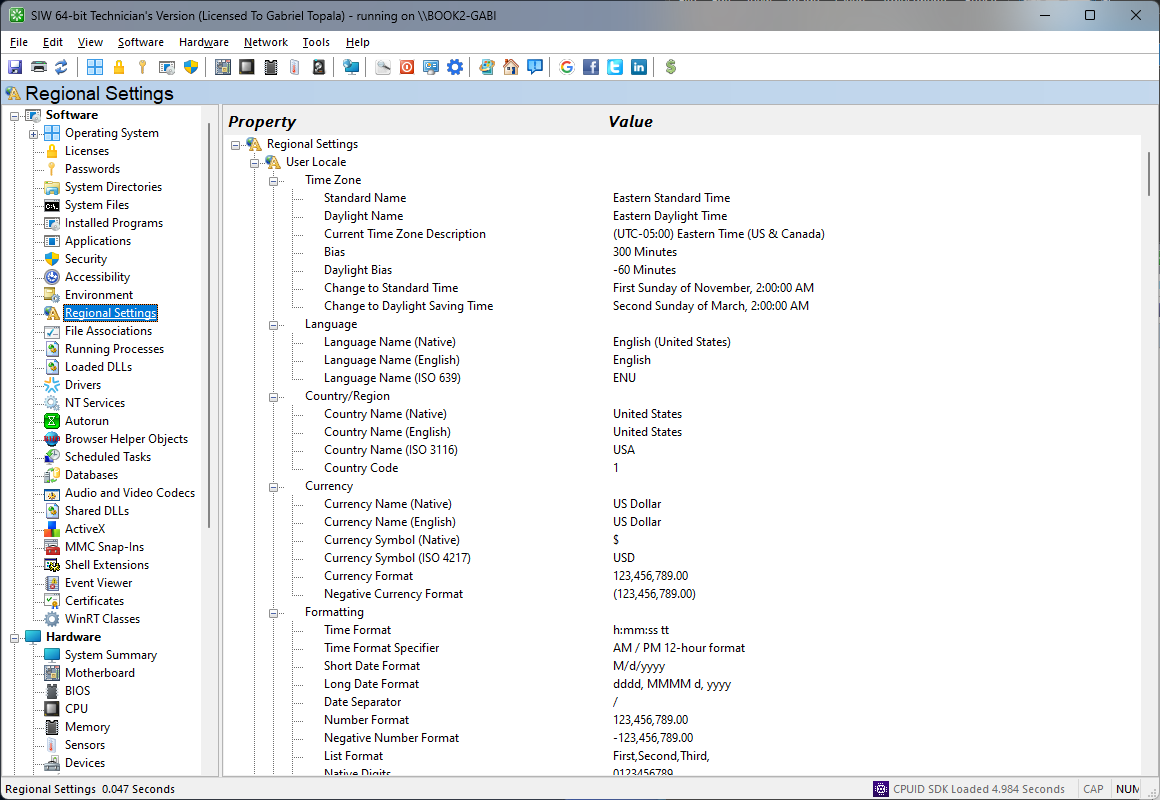
The Regional Settings module in SIW provides an overview of locale-related configuration in Windows, including settings that affect language selection, date and time formats, number formatting, and regional conventions.
SIW helps identify how the system is configured for display language, user locale, keyboard layout, measurement or currency formatting, and related cultural preferences where available. This information is useful when validating multilingual deployments, resolving formatting inconsistencies, or documenting workstation configuration.
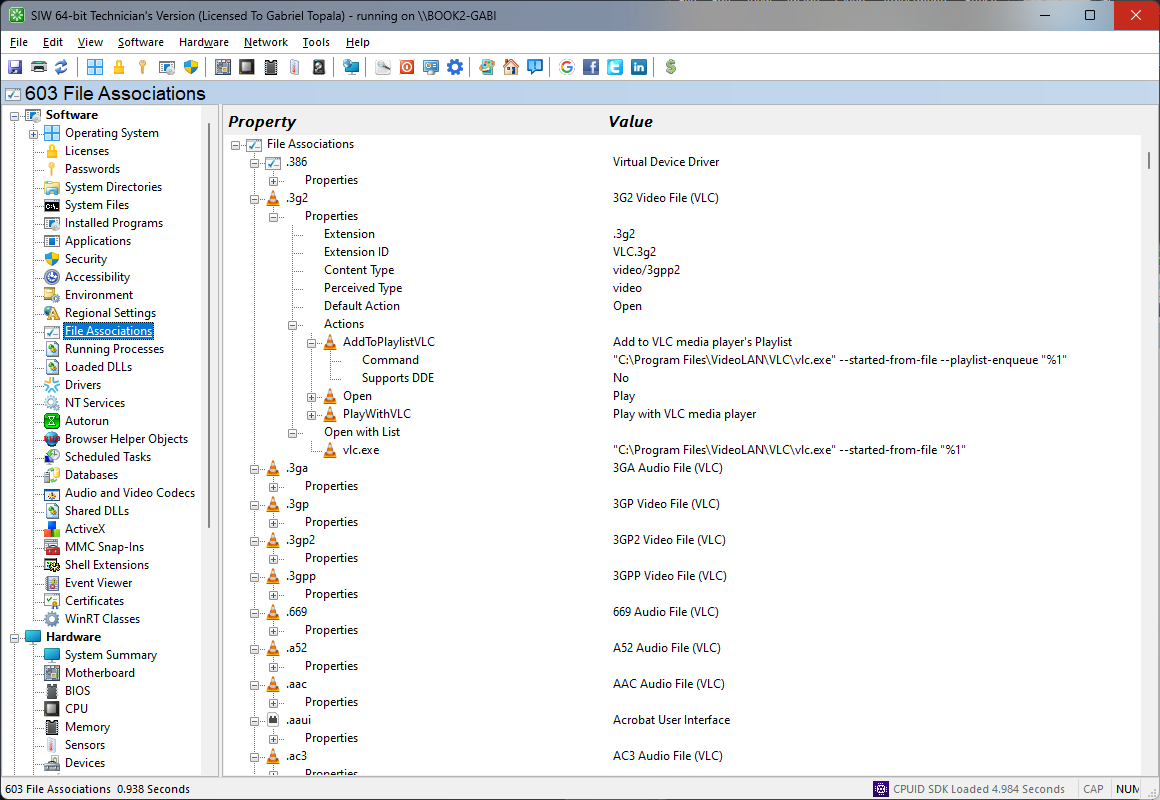
The File Associations module in SIW shows how Windows maps file extensions, document types, and supported protocols to the applications that open or handle them.
SIW can display extension-to-class mappings, default handlers, associated commands, and related registration entries where available. This helps you troubleshoot incorrect defaults, investigate unexpected shell behavior, and verify that application installs or user preferences have configured associations as intended.
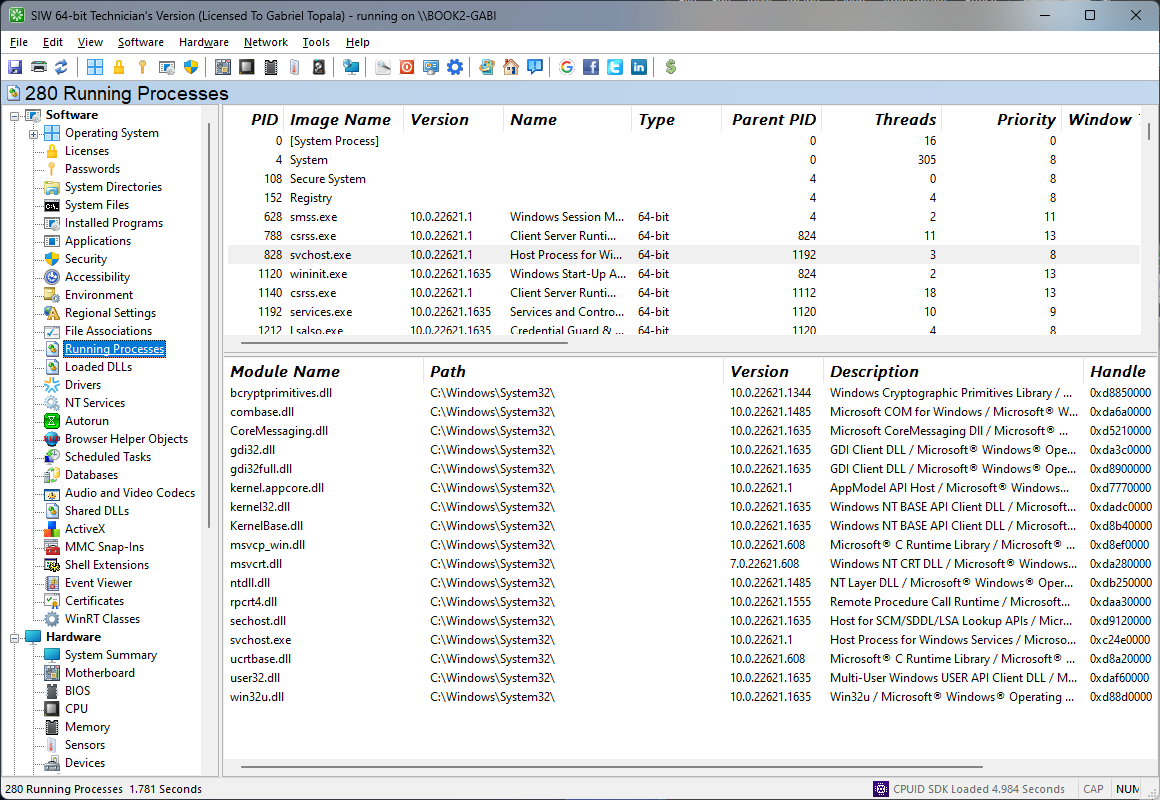
The Running Processes module in SIW provides a live overview of programs and background components currently executing on the system. It is useful for diagnostics, performance analysis, and identifying unexpected activity.
SIW can report details such as process name, process ID, executable path, memory usage, priority, owner, and other related attributes where available. This information helps you understand what is currently running, correlate resource usage, and investigate software that may be affecting stability or performance.
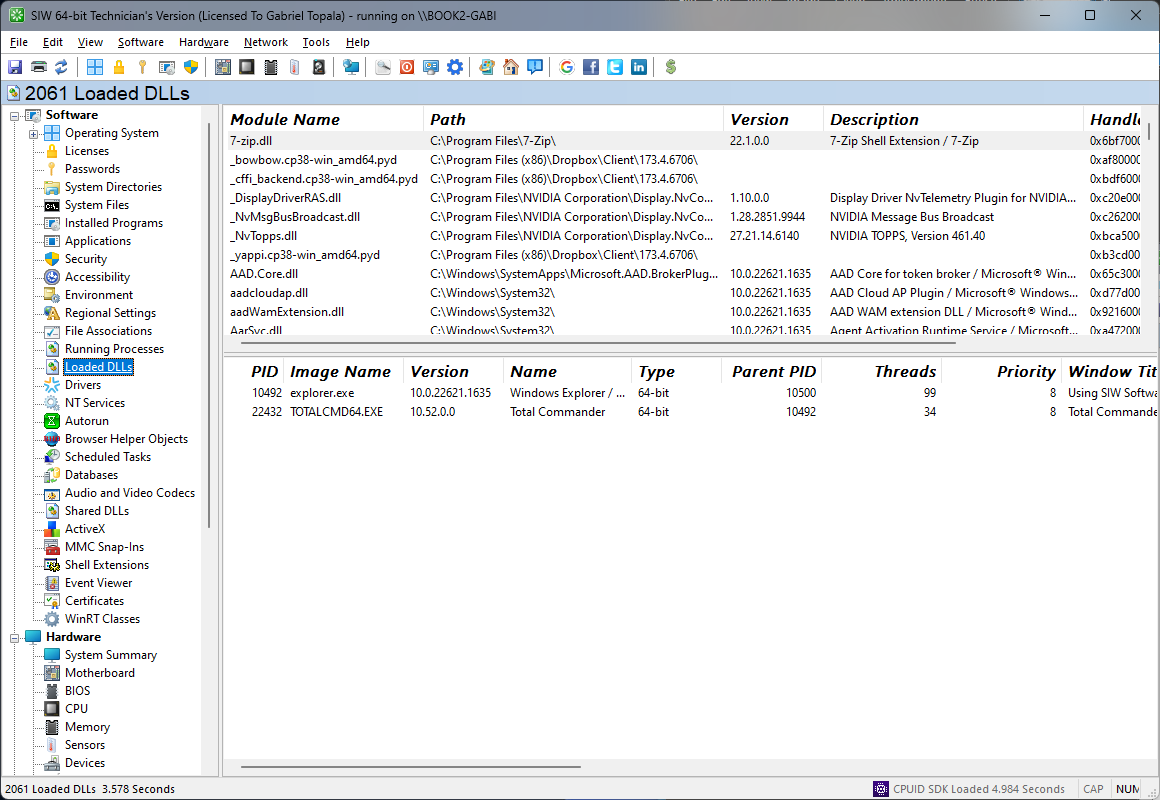
The Loaded DLLs module in SIW provides insight into the dynamic-link libraries currently loaded by running processes, helping you understand the software components in active use on the system.
SIW can display module names, file paths, versions, publishers, and process associations where this information is exposed by Windows. This is valuable for dependency analysis, troubleshooting application conflicts, and identifying outdated or unexpected libraries loaded into memory.
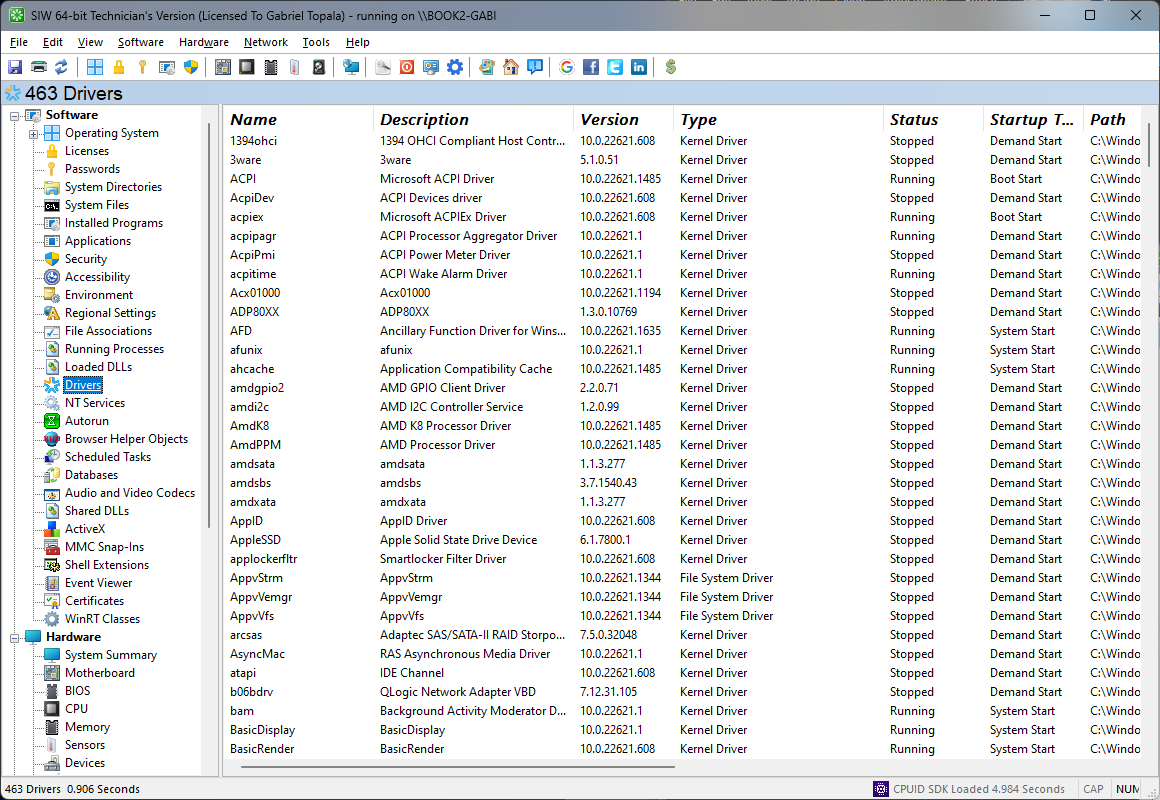
The Drivers module in SIW reports information about device and software drivers installed on the system, making it easier to review the components that allow Windows to communicate with hardware and low-level services.
SIW can present driver names, providers, versions, file paths, start modes, and status information where available. This helps diagnose hardware issues, confirm driver deployment, and identify outdated or unexpected components that may affect performance, compatibility, or stability.
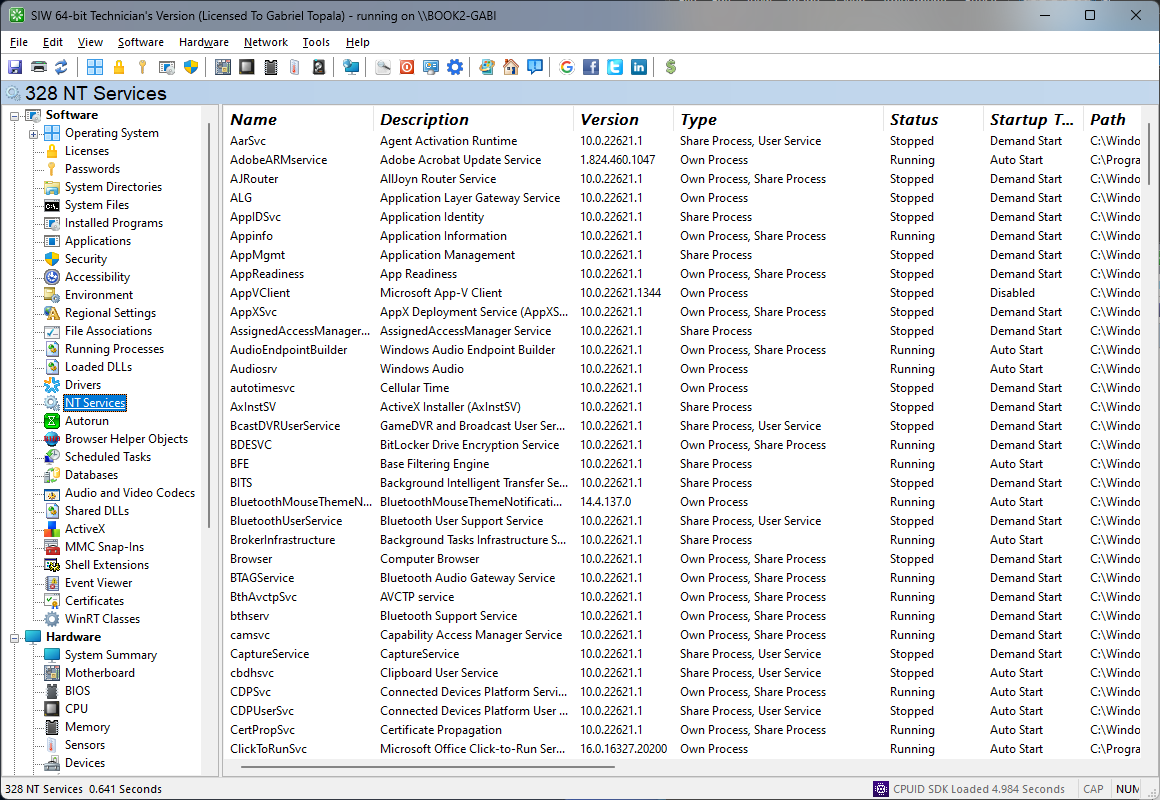
The NT Services module in SIW provides a comprehensive overview of Windows services installed on the system, including both core operating system services and services added by third-party software.
SIW can report service names, display names, startup types, current states, executable paths, and related account or dependency information where available. This makes it easier to troubleshoot startup issues, verify service configuration, and review background software components that affect system operation.
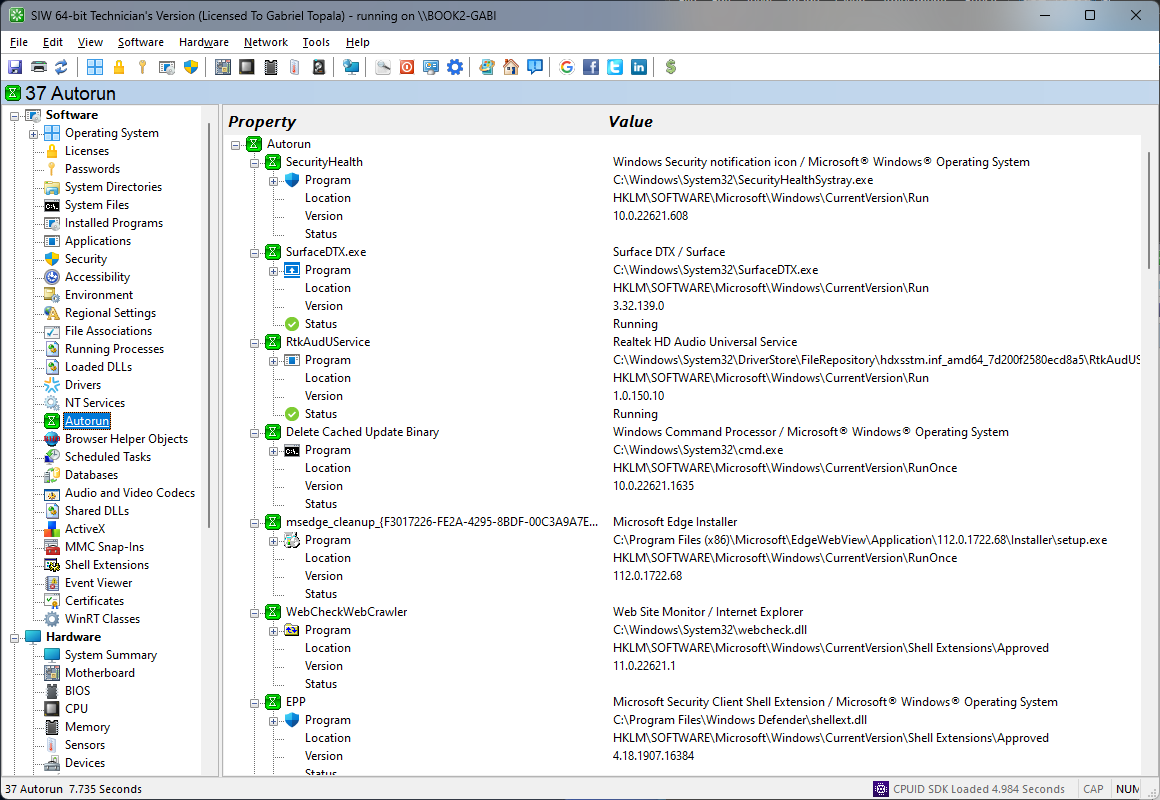
The Autorun module in SIW lists applications and other startup entries that are configured to load automatically when Windows boots or a user signs in.
SIW provides identifying information for each entry so you can review what launches at startup, spot unnecessary or suspicious items, and troubleshoot slow boot or logon behavior. This is especially useful when investigating performance issues or unexpected background activity.
Note: The programs started from 'win.ini' and 'system.ini' aren't displayed.
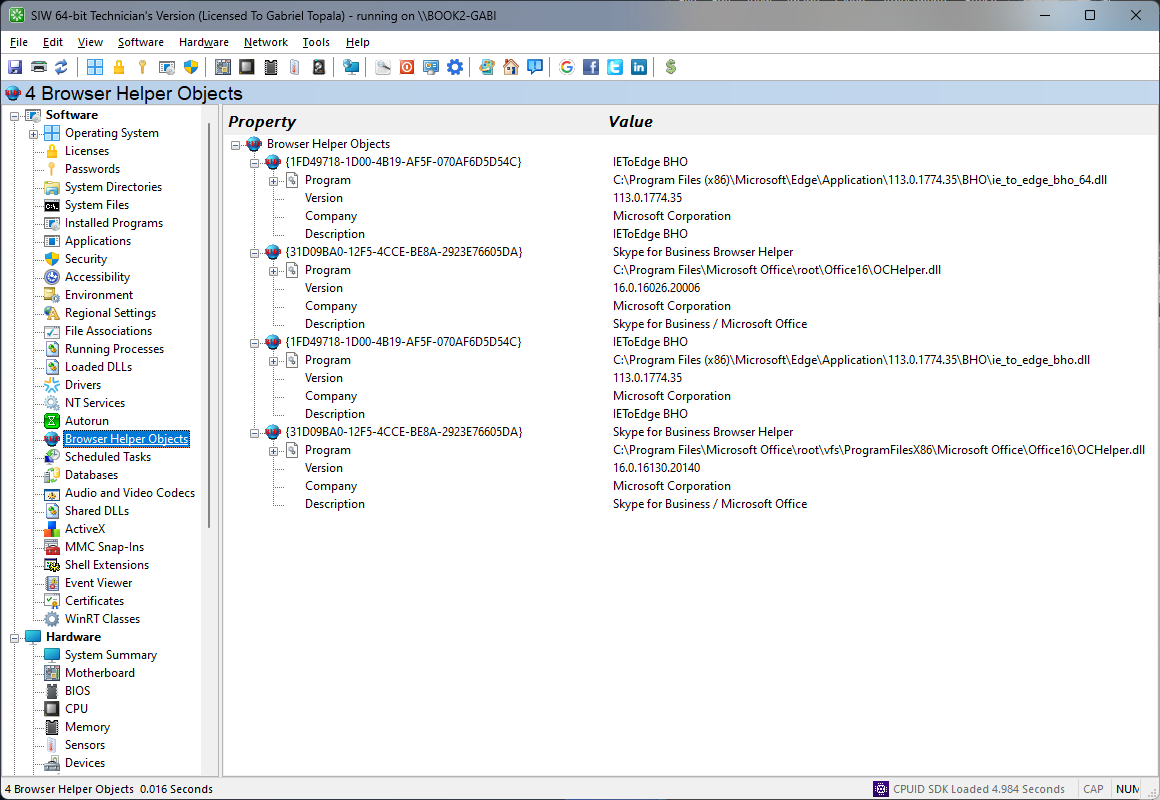
The Browser Helper Objects module in SIW lists browser helper objects registered in Windows, giving you visibility into add-ons that can integrate with or extend browser behavior.
SIW can display object names, class identifiers, associated modules, and related registration data where available. This is useful when reviewing legacy browser integrations, investigating unwanted add-ons, or documenting components that may influence browsing behavior.
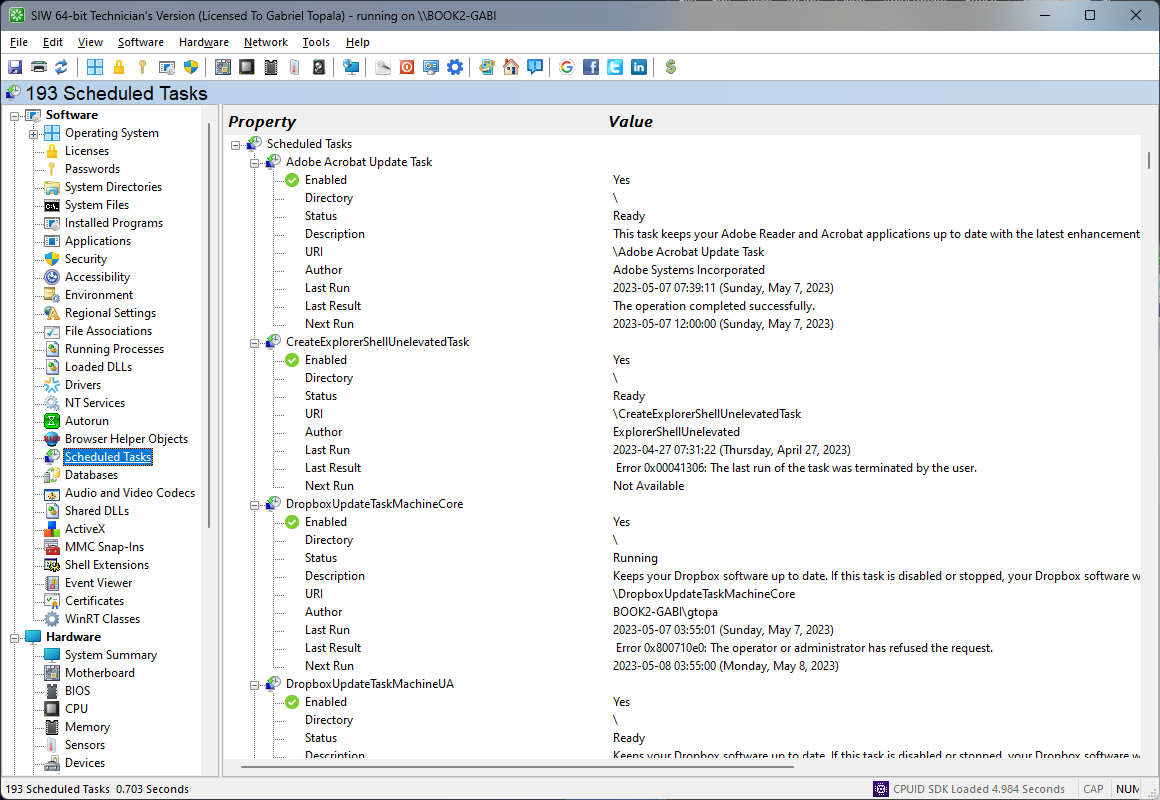
The Scheduled Tasks module in SIW provides an overview of tasks registered with Windows Task Scheduler, including jobs created by the operating system, administrators, and installed applications.
SIW can report task names, folders, triggers, actions, authors, states, and last or next run information where available. This helps identify automated maintenance jobs, background application activity, and scheduled operations that may affect startup, performance, or routine system behavior.
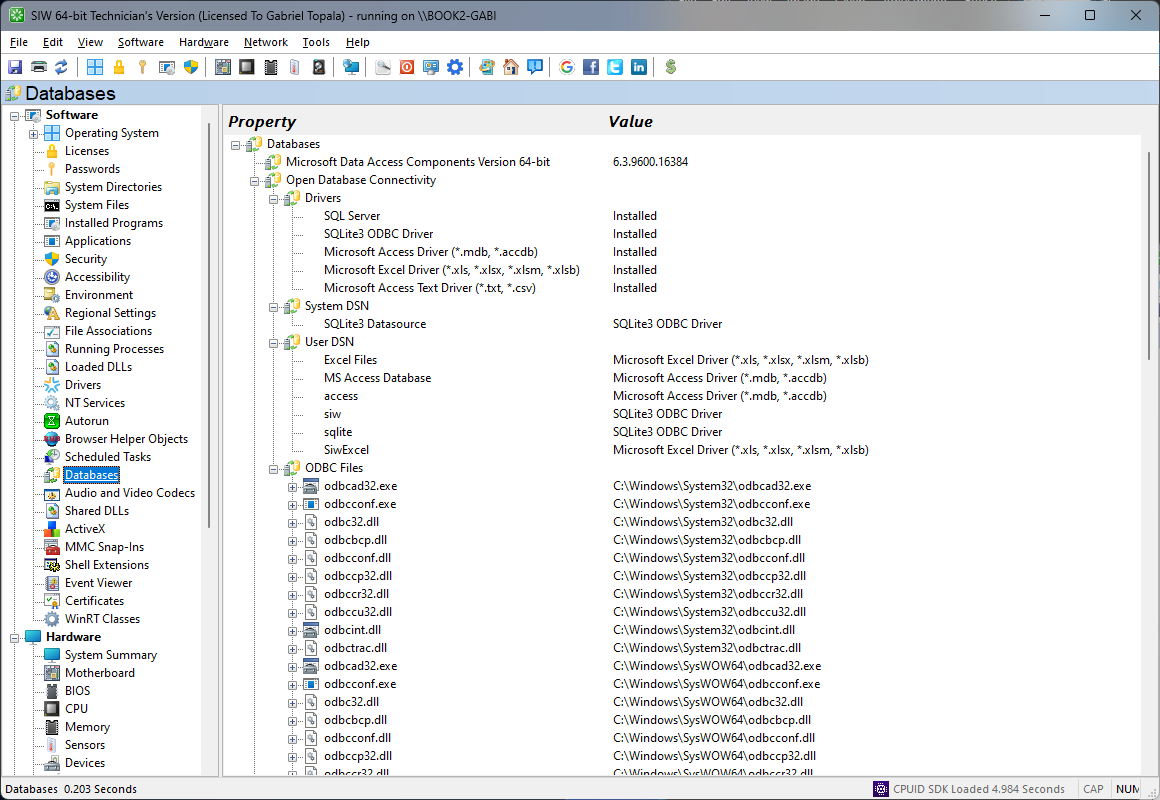
The Databases module in SIW reports information about database-related components detected on the system, such as installed database engines, client software, providers, or connectivity layers where available.
This information can help identify the presence of database platforms and supporting components used by applications or administrative tools. It is useful for software inventory, migration planning, and troubleshooting scenarios in which you need to verify whether database services or client libraries are present.
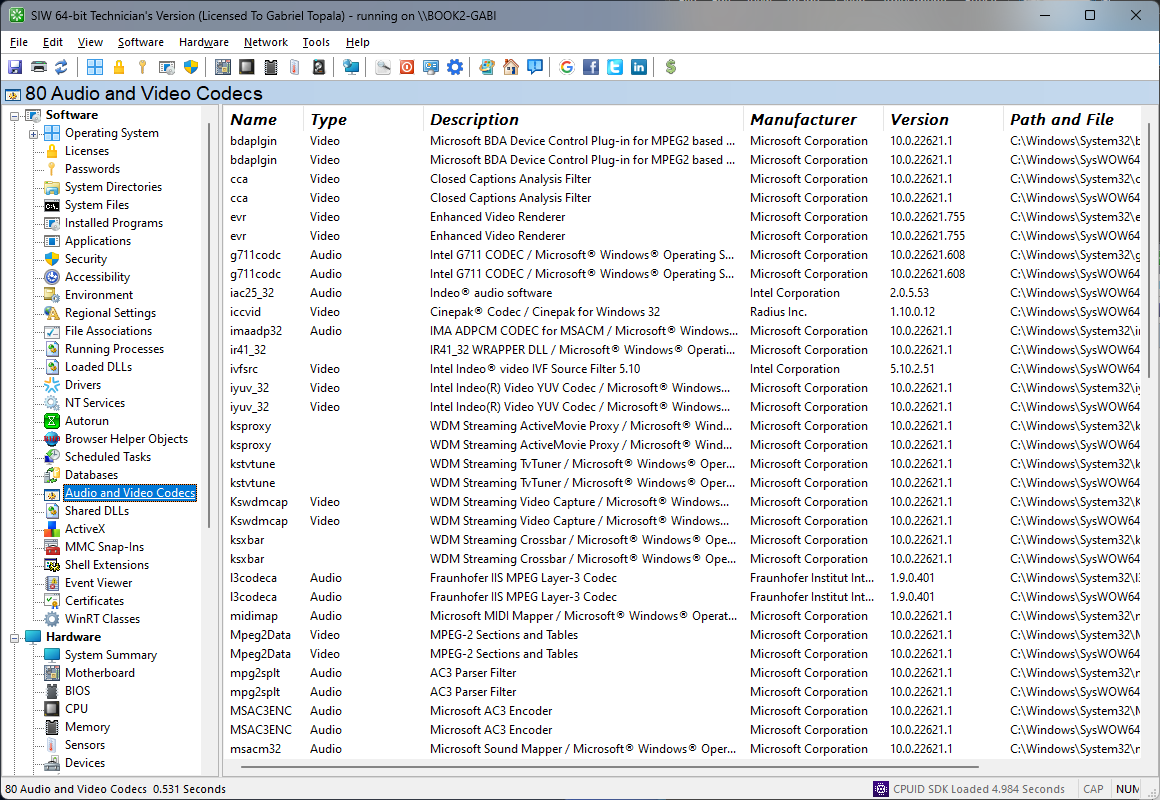
The Audio and Video Codecs module in SIW lists multimedia codecs, filters, and related components installed on the system, helping you understand which technologies are available for media playback, capture, and processing.
SIW can display codec names, file locations, versions, and registration details where available. This is especially useful when troubleshooting playback issues, verifying support for specific media formats, or documenting software components used by audio and video applications.
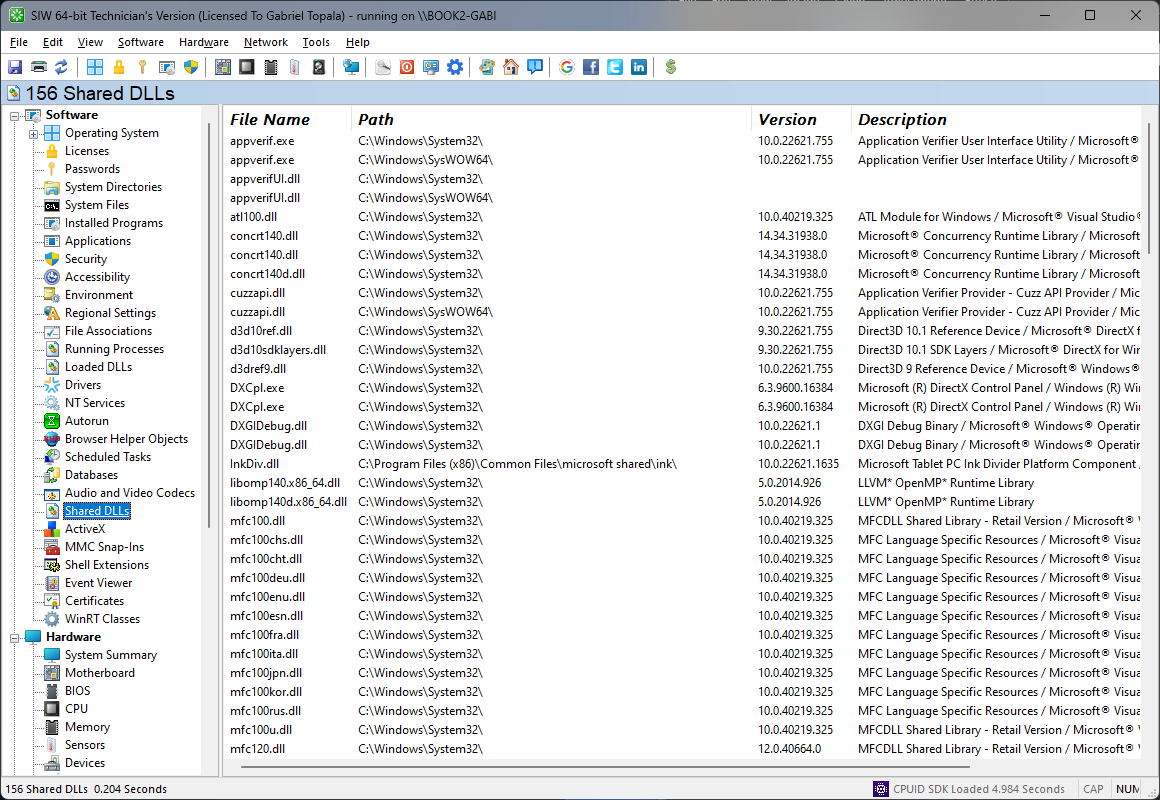
The Shared DLLs module in SIW reports libraries that are registered as shared components in Windows, helping you review files used by multiple applications or installers.
SIW can display DLL paths together with related registration data, such as usage counts or other metadata recorded by the operating system. This is useful for troubleshooting installation problems, reviewing software dependencies, and identifying components that may be left behind by removed applications.
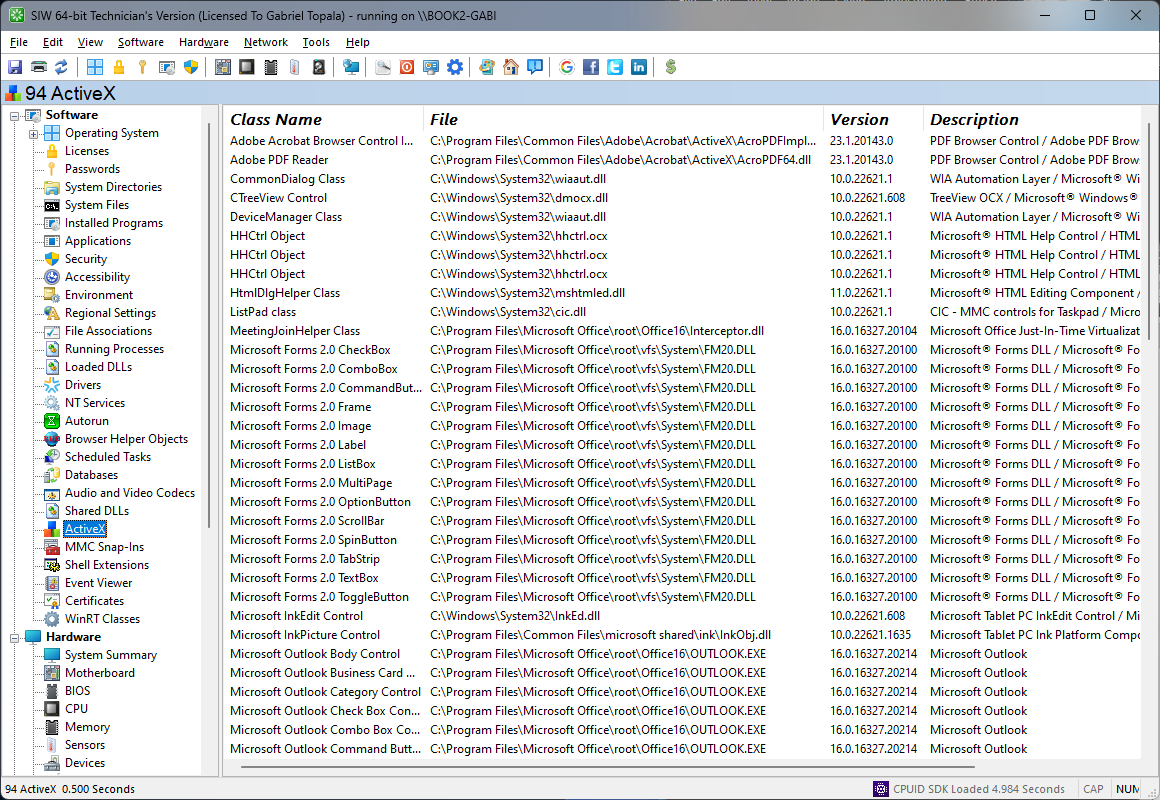
The ActiveX module in SIW presents information about ActiveX controls and related COM components registered on the system. This helps identify software modules that can be embedded in compatible applications or exposed through Windows component registration.
SIW can display control names, class identifiers, file paths, versions, and registration details where available. This is useful for compatibility validation, legacy application support, and troubleshooting systems that rely on classic Windows component technologies.
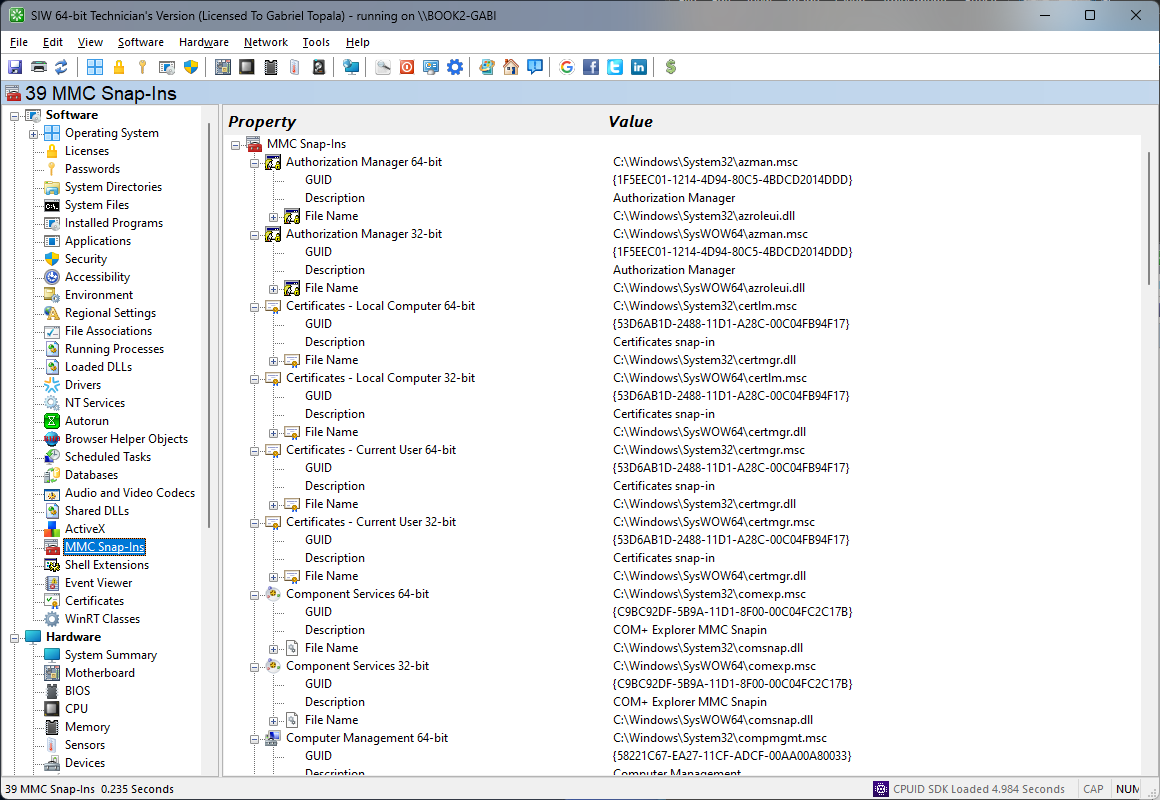
The MMC Snap-Ins module in SIW lists management snap-ins available to Microsoft Management Console, helping you understand which administrative tools are registered on the system.
SIW can report snap-in names, identifiers, providers, and related registration information where available. This is useful when documenting administrative capabilities, troubleshooting missing console extensions, or reviewing software that integrates with Windows management tools.
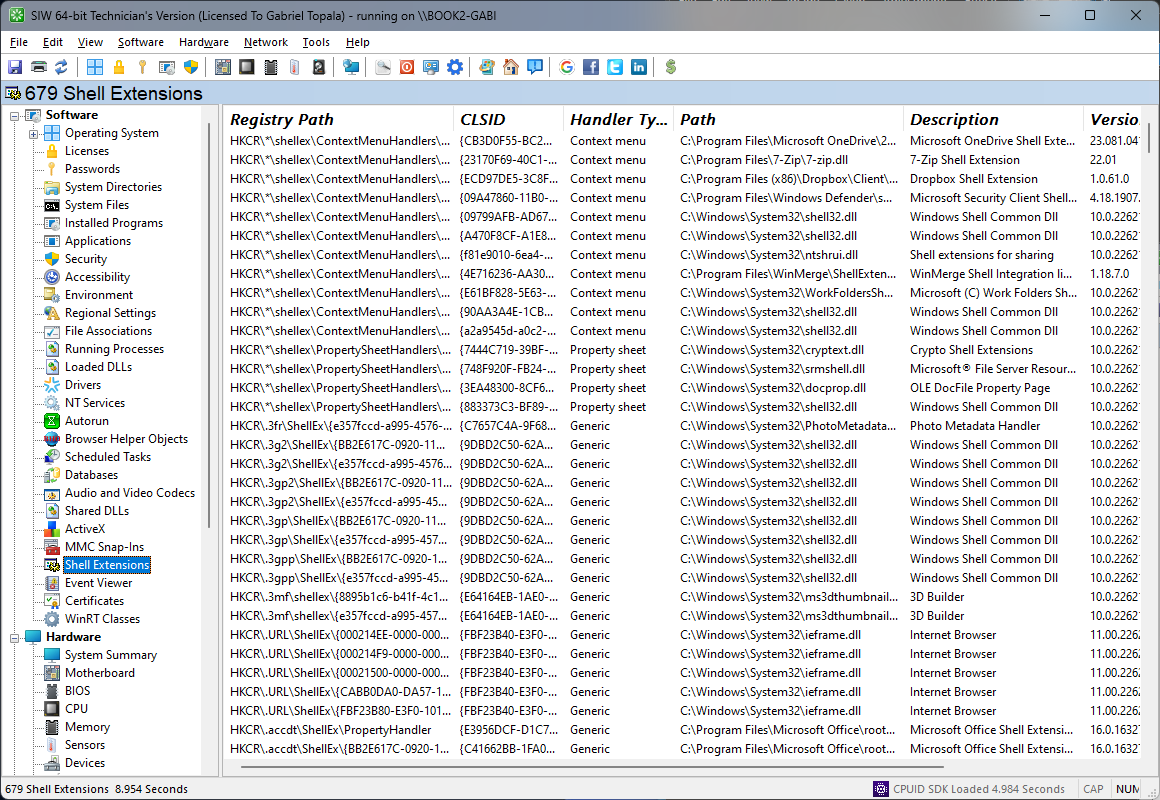
The Shell Extensions module in SIW provides visibility into components that extend Windows Explorer and other shell interfaces, such as context menu handlers, icon handlers, property sheet extensions, and preview handlers.
SIW can display extension names, types, class identifiers, associated files, and related registration data where available. This helps diagnose Explorer instability, investigate shell customizations, and review third-party integrations that affect file browsing and desktop behavior.
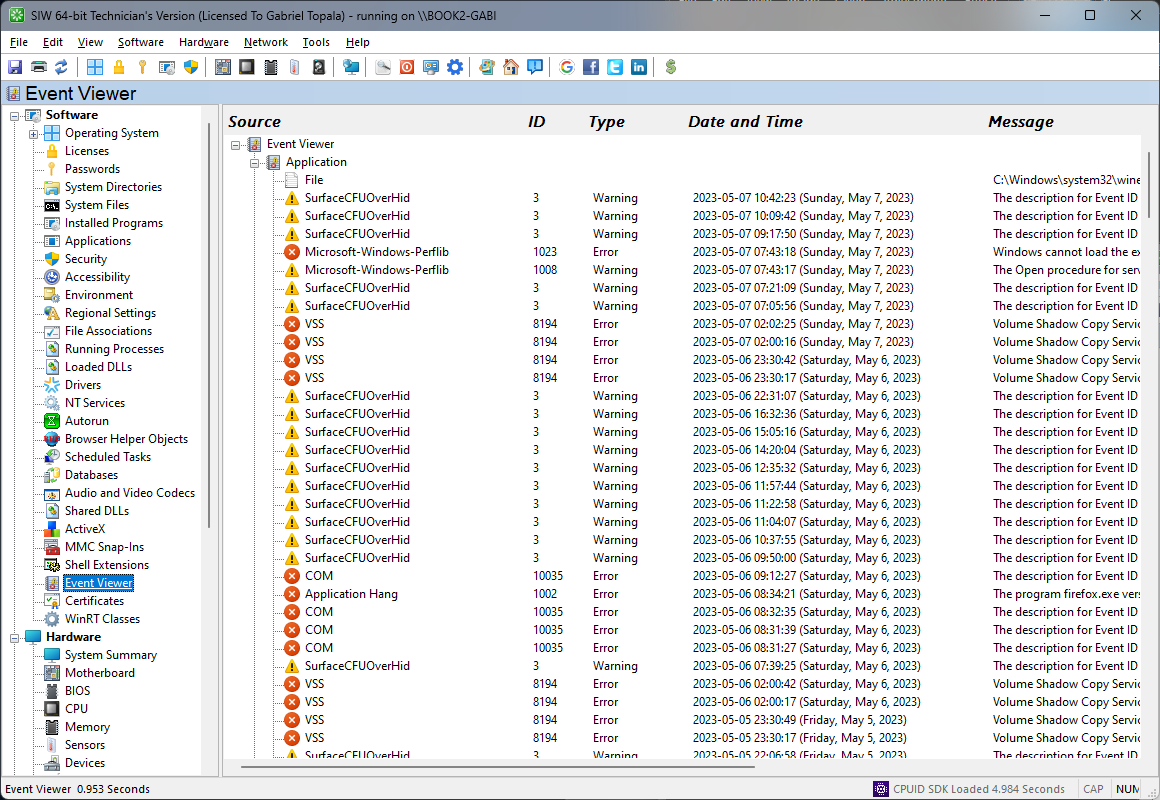
The Event Viewer module in SIW provides access to information about Windows event logs and their associated sources, helping you review diagnostic and operational messages recorded by the operating system and installed software.
SIW can expose details such as log names, event sources, entry types, timestamps, and related metadata where available. This supports troubleshooting, auditing, and historical review when investigating service failures, application errors, security events, or other system activity.
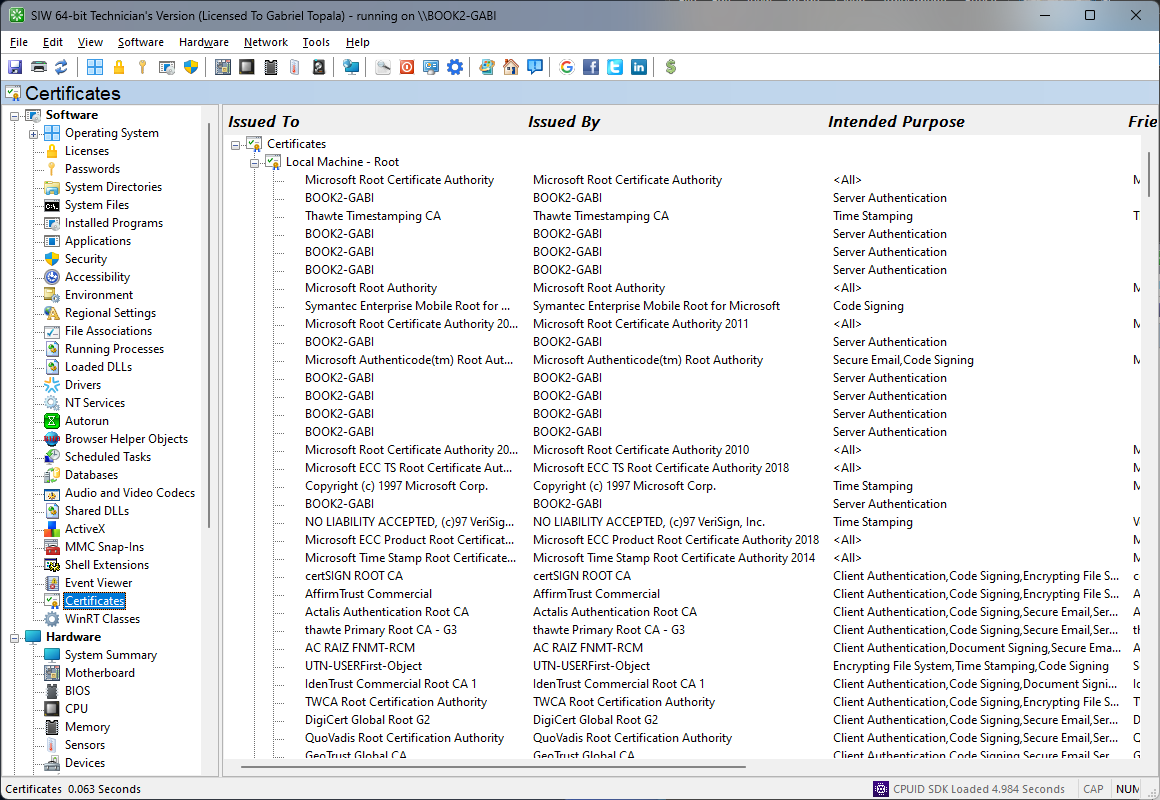
The Certificates module in SIW reports digital certificates stored on the system, helping you review trust relationships, published identities, and certificate-based security configuration.
SIW can display certificate store locations, subjects, issuers, serial numbers, validity periods, thumbprints, and intended purposes where available. This is useful for auditing trusted roots, reviewing code-signing or client certificates, and diagnosing authentication or encryption-related issues.
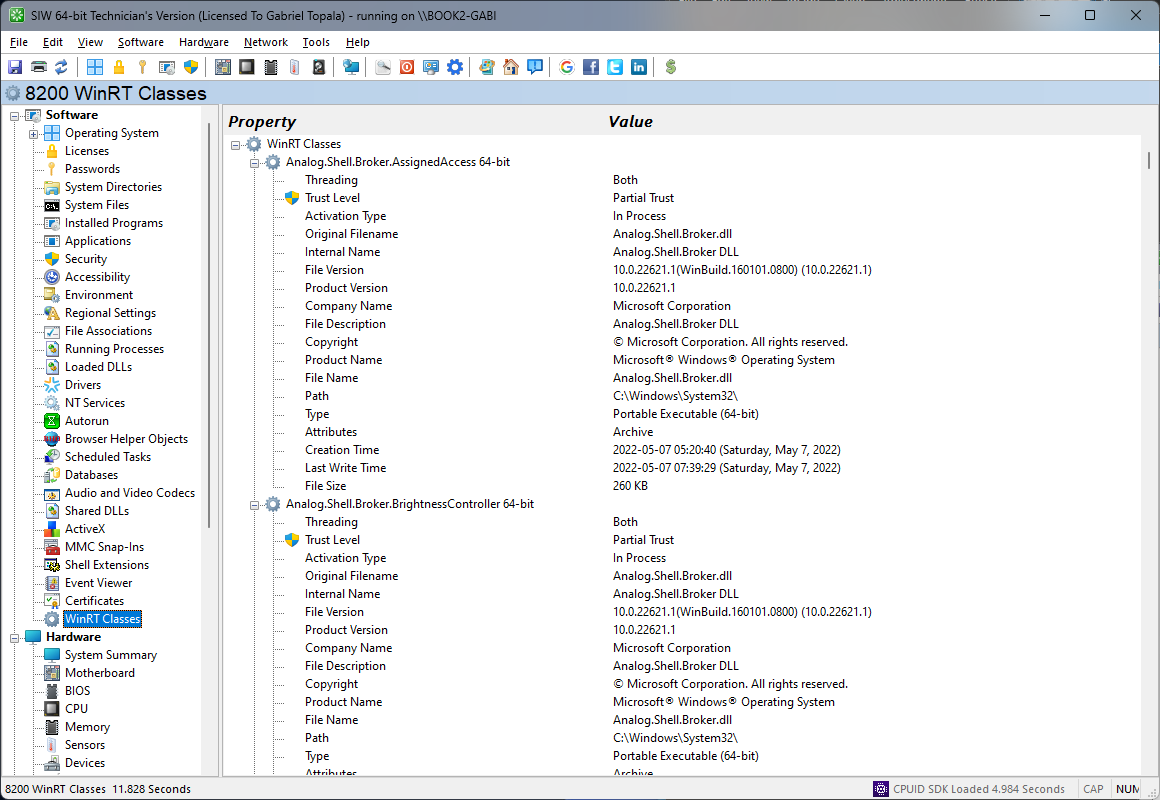
The WinRT Classes module in SIW provides insight into Windows Runtime class registrations available on the system, helping you understand which modern Windows platform components are exposed for applications and system services.
SIW can display class names, namespaces, activation details, and related registration information where available. This is useful for developers, administrators, and support professionals who need to review Windows Runtime availability, investigate application compatibility, or document platform capabilities on a given machine.